
Adding and Managing Fixtures
Get the season into Ballr once, and availability, squads, graphics and stats all follow from it.
Built for Northern Ireland grassroots football, where fixtures move for weather, pitches and cup draws more often than they stay put.

Who this is for
- Secretaries entering the league calendar at the start of a season.
- Managers adding friendlies and cup ties as they are confirmed.
- Clubs whose fixture list currently lives in a group chat and a WhatsApp pin.
Before you start
- Your teams are set up.
- Your competitions exist for this season.
- The league fixture list, or as much of it as you have.
Walkthrough
Step by step.
- 01
Add a match
From Club fixtures, press Add match. Pick the team, the opponent, home or away, the date, kick-off and venue.
Opponents are a list you build as you go — add one once and it is there for the return fixture, the cup tie and next season. If the draw has not been made, choose TBC — opponent not confirmed and put the date in anyway, because the date is what people need to keep free.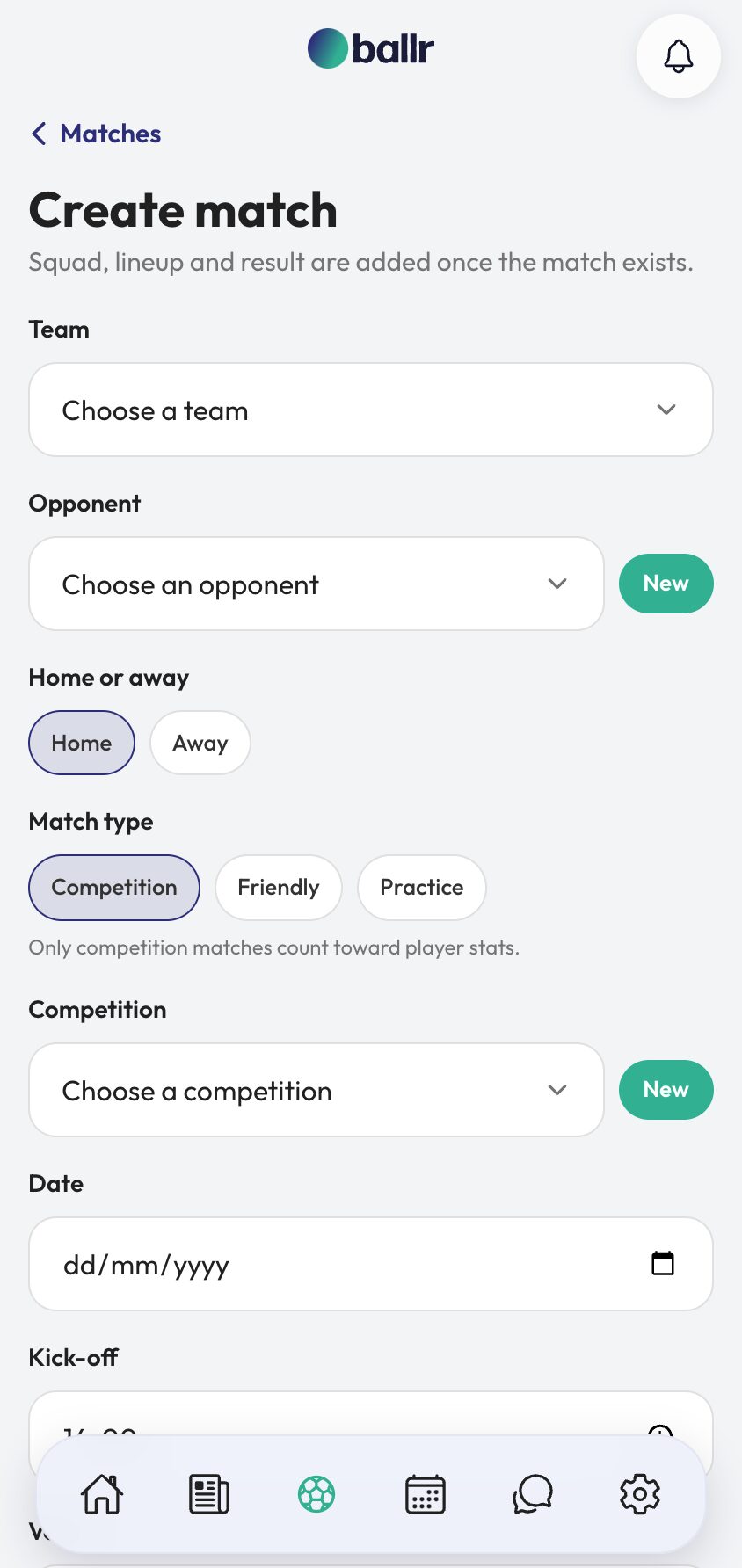
- 02
Choose the match type carefully
A match is a Competition, a Friendly or a Practice game, and the form tells you what hangs on it: only competition matches count toward player stats.
Competition matches also need a competition attached — the league or cup they belong to, within a season. Get this right at the point of entry and your end-of-season top scorer table is correct without anyone auditing it. Get it wrong and pre-season friendlies quietly inflate everything.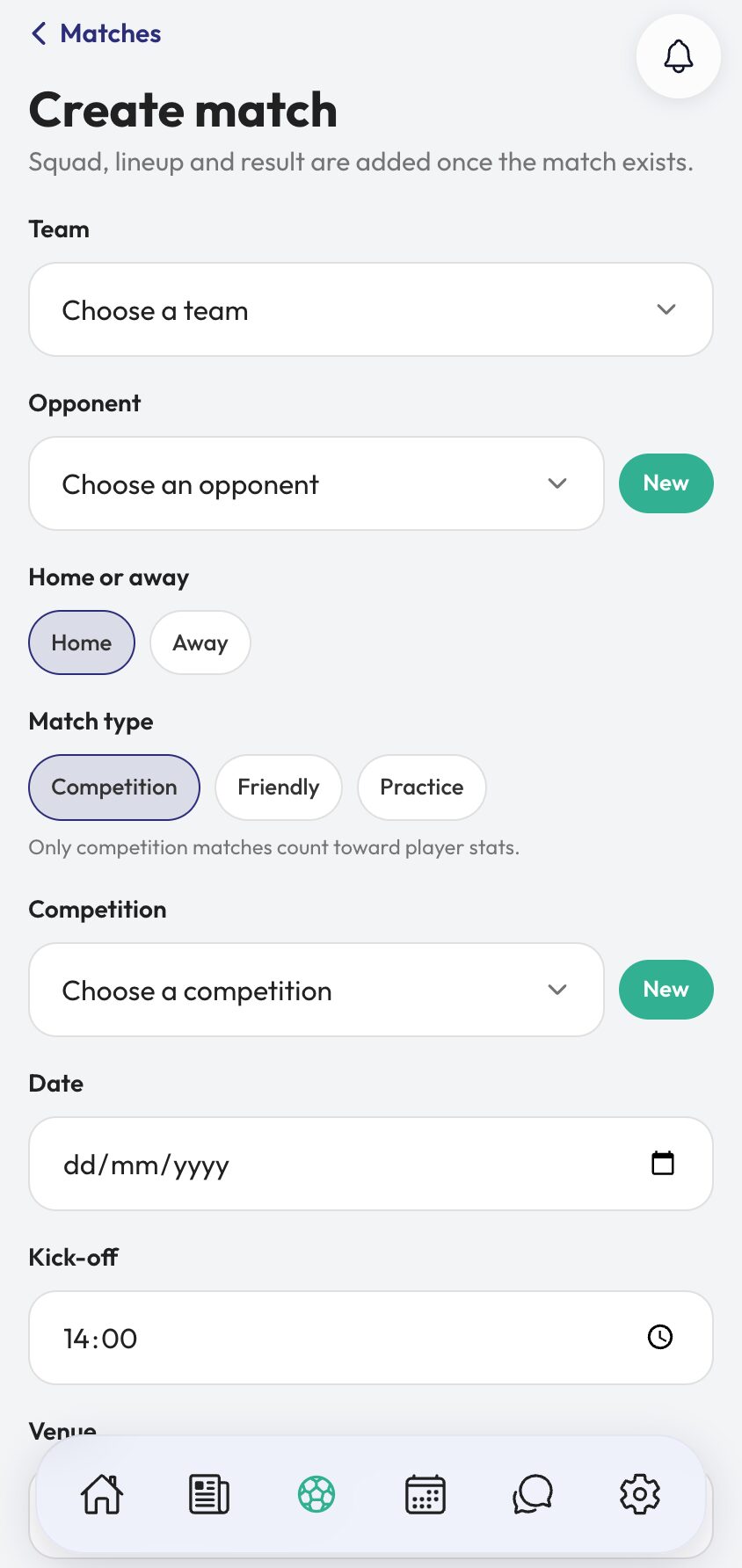
- 03
Live with a fixture list that moves
The fixture list groups by month and filters to All, Upcoming or Played. Open any match to change the date, kick-off, venue or opponent when the league moves it.
Change it as soon as you know. A fixture that moves in Ballr moves everywhere it appears — the availability week, the club feed post, the matchday graphic — and a fixture that only moved in your head moves in none of them.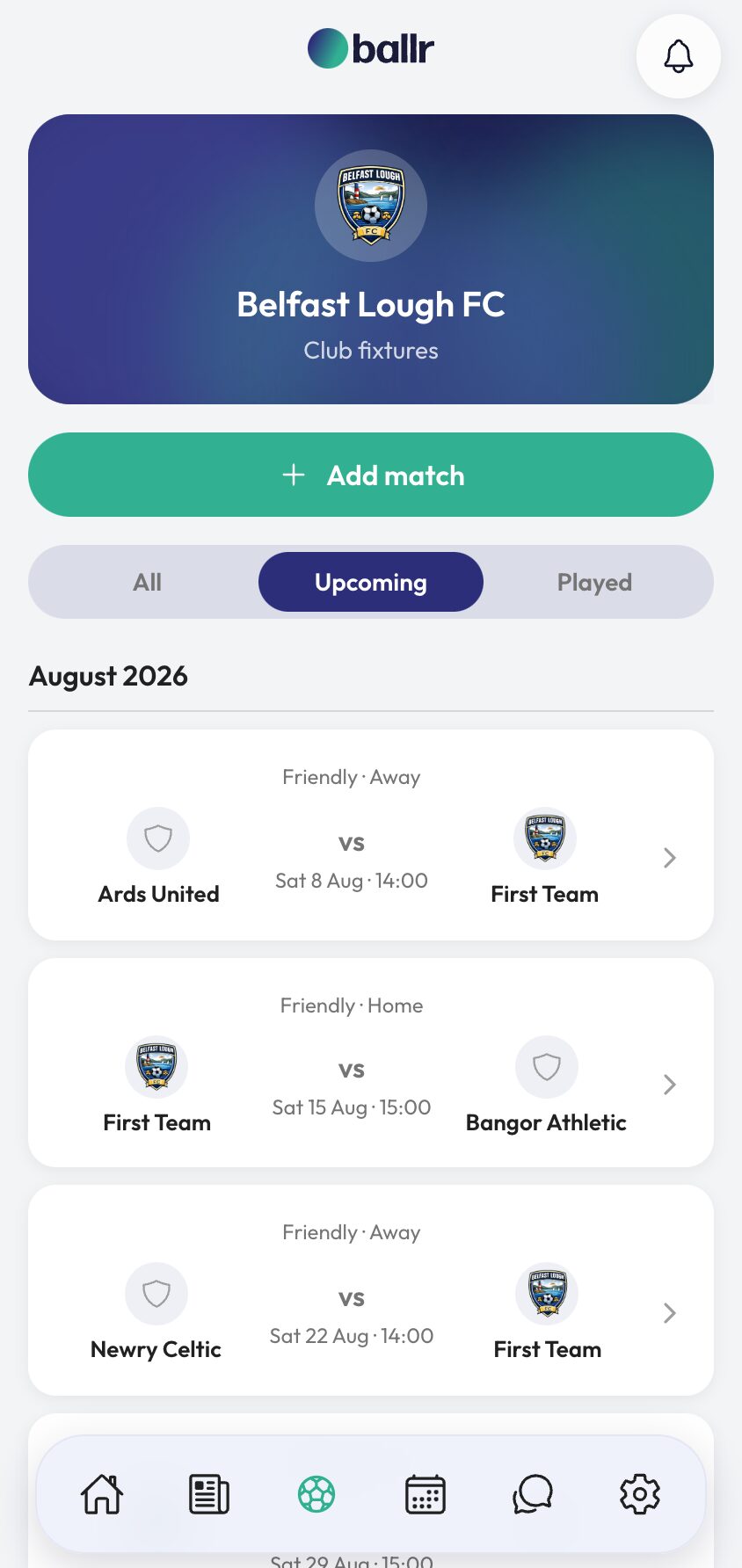
- 04
Watch what a fixture switches on
A saved fixture joins that week's availability request automatically, becomes something you can pick a squad for, generates matchday graphics, and posts itself to your club feed.
After the game, enter the score and log the events, and the same fixture feeds your player stats and public results. The fixture is the thing everything else is built on, which is why it is worth ten minutes of care at the start of a season.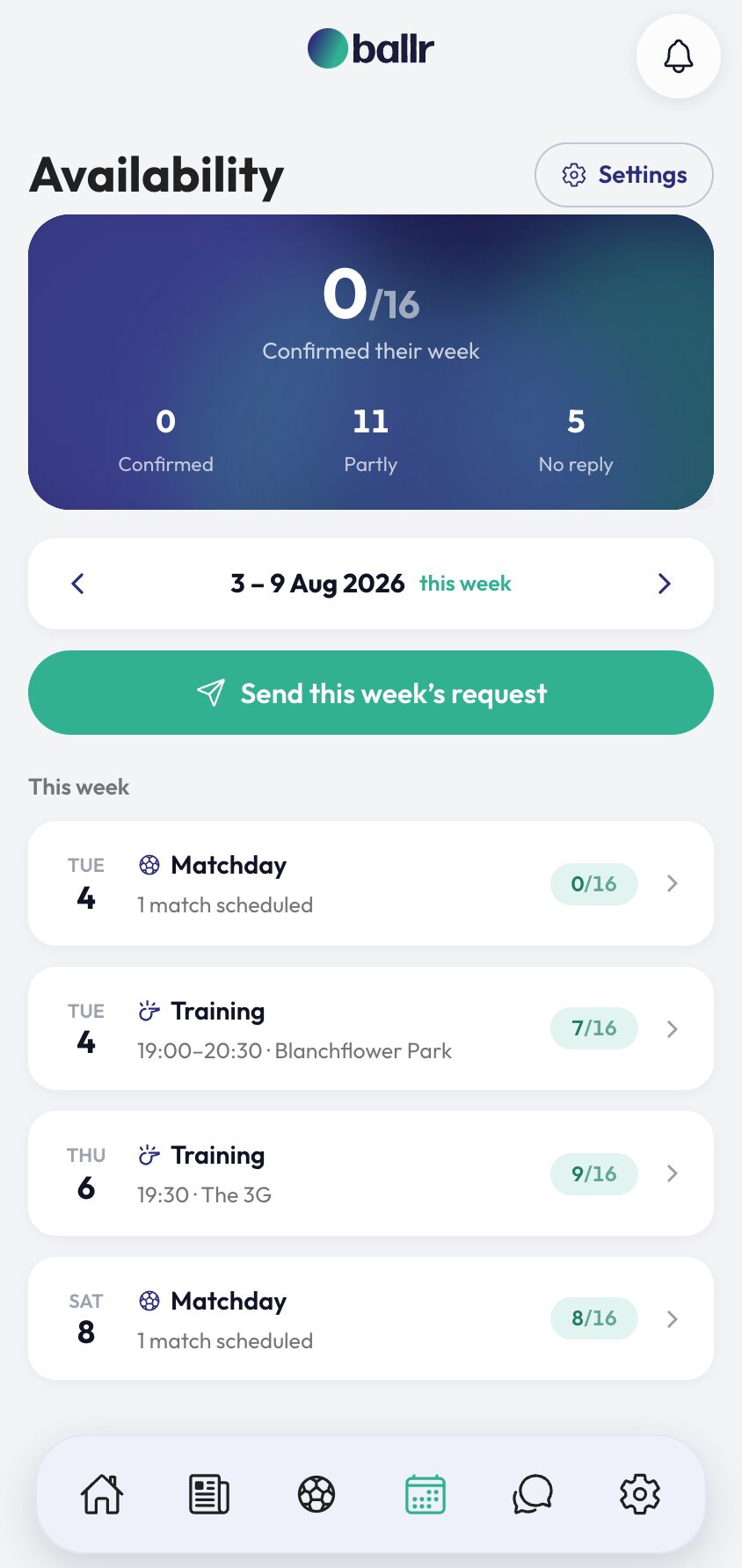


Video tutorial coming soon: entering a full league season in one sitting.
Questions
About this
guide.
Can I add a fixture before the opponent is known?
Yes. Choose "TBC — opponent not confirmed" and set the date. The date is the part players need in order to keep it free, and you can name the opponent when the draw is made.
What is the difference between competition, friendly and practice?
Only competition matches count towards player stats, and they need a competition attached. Friendlies and practice games appear in your fixture list and availability week like anything else, but stay out of the season table.
What happens when a match is postponed?
Edit the fixture and change the date. Because availability, graphics and feed posts are all generated from the fixture, moving it there moves it everywhere rather than leaving four stale copies behind.
Can I manage fixtures on my phone?
Yes. Ballr works in any browser on phone, tablet and desktop, and there are free iPhone and Android apps — which matters when the league secretary rings you at the side of a pitch.
Put it into action
Try it with your own squad.
Set your club up in about ten minutes and work through this guide with your real fixtures in front of you.