
Ballr Plus feature
Player Availability Tracking
One message a week covering every training session and match, so nobody is chased twice.
Ideal for Northern Ireland grassroots football clubs that need reliable weekly availability responses without message chaos.

Who this is for
- Managers who want faster availability responses before match day.
- Coaches who need clear visibility of in, out, and maybe responses.
- Clubs that need less admin overhead for weekly selection.
Before you start
- Player contact details are up to date.
- Your next fixtures are added to the calendar.
- Your training nights are set up, if your club trains.
Walkthrough
Step by step.
- 01
Open your week
Open availability in the app. You see one week at a time: every training session and every matchday in it, in date order, with how many of your squad have answered.
Availability is a week now rather than a list of dates. A player is asked once and answers everything, which is why the number at the top counts people rather than replies — a squad of sixteen with two sessions and a match is sixteen answers, not forty-eight.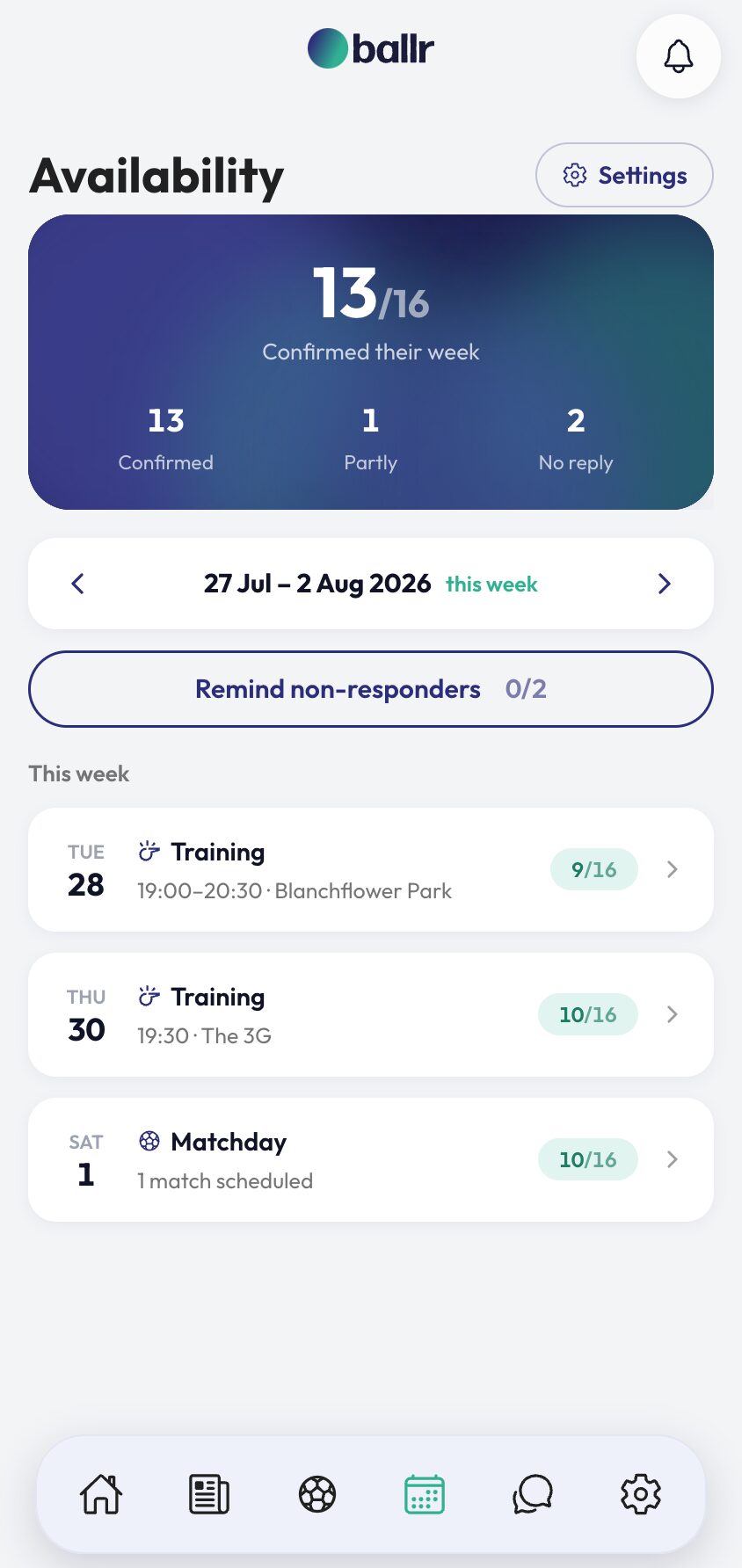
- 02
Send the week, or let it send itself
The cog sets when the ask goes out. Leave it on automatic and Ballr sends it for you on your chosen morning — Monday or Tuesday. Set it to manual and you press the button when the week is ready, which suits a club that likes to confirm a fixture before asking anyone about it.
Either way it is one message per player, covering the whole week. Players get it by WhatsApp, email or a push notification depending on what they have — and a player with the app is never sent a paid WhatsApp saying the same thing.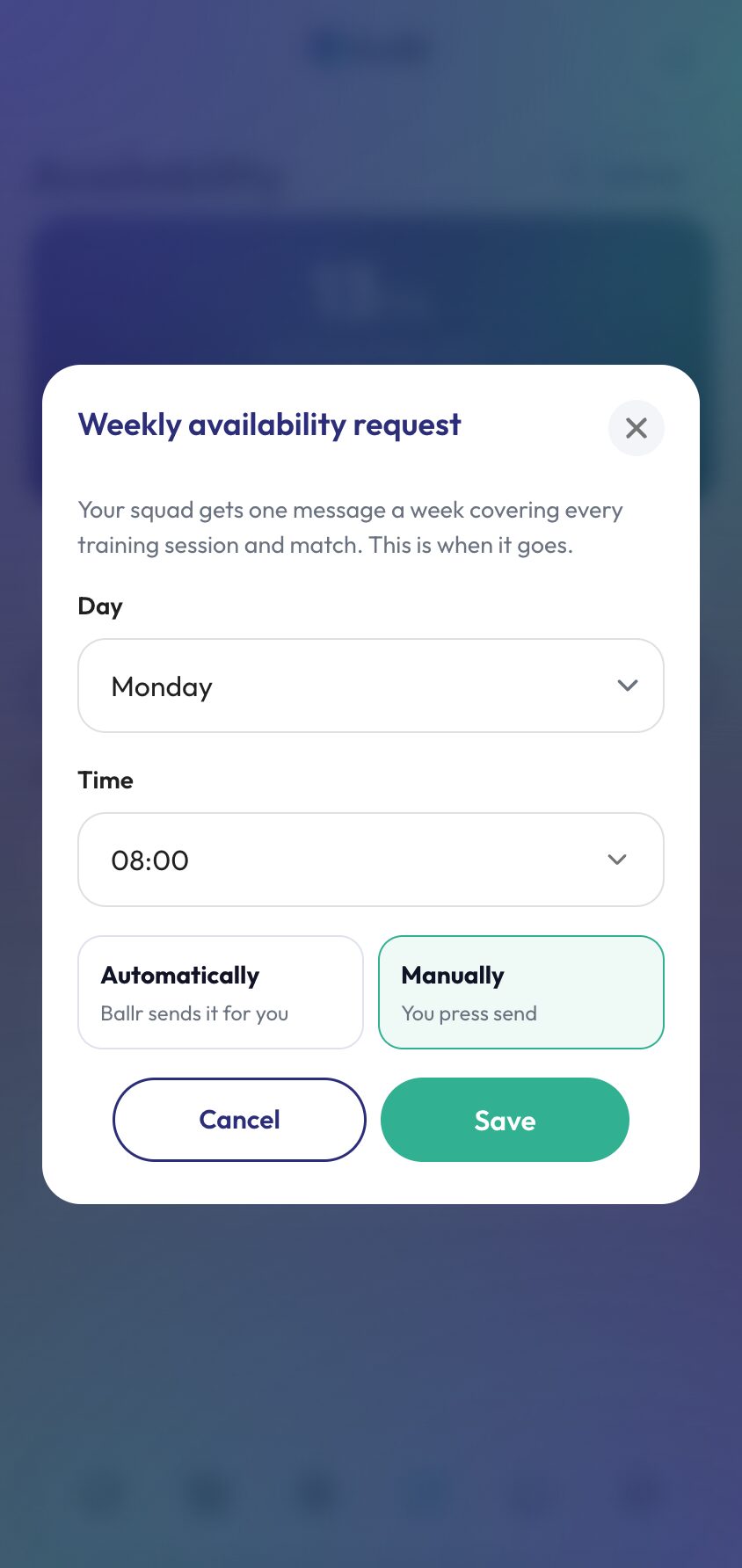
- 03
Players answer everything in one place
The link opens their week: each session and matchday with In, Maybe or Out. No login, no app required — the link carries their own token, which matters for the players who will never install anything. Players who do want the app can set it up in a couple of minutes.
Training answers stay open right up until the session starts, because there is nothing to plan around beyond turning up. A match locks 48 hours before kick-off so you can pick a squad — though a player who never replied can still get an answer in, since hearing late beats not hearing at all.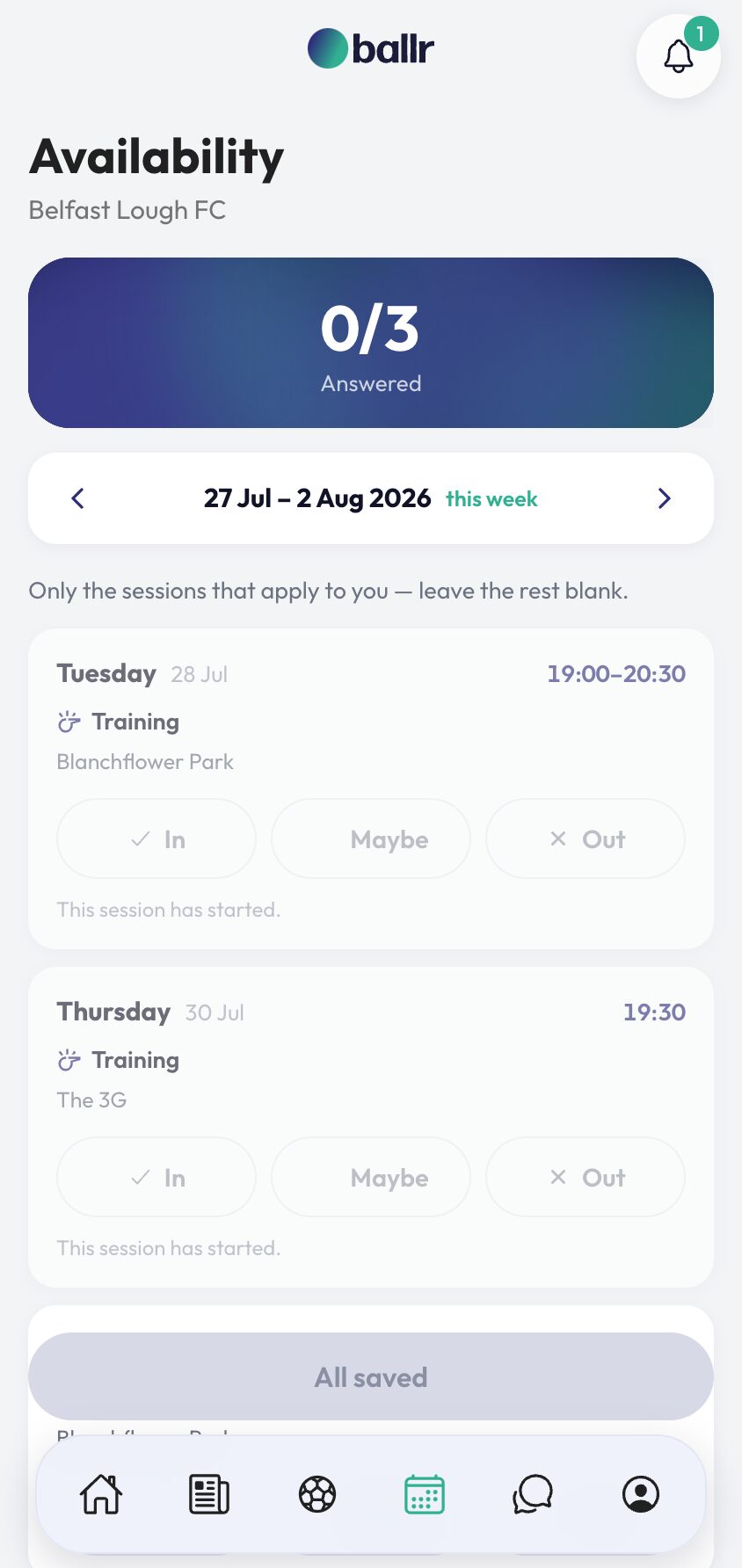
- 04
Chase the quiet ones — twice, at most
Once the week has gone out, the Send button becomes Remind non-responders. It goes only to players with something still unanswered, and it is capped at two per week.
The cap is deliberate. A squad that has ignored two reminders will ignore a third, and the cost of the third falls on the players who did answer. Open any matchday or training session to see who is in, who is out, and who has said nothing — and to change an answer yourself if somebody tells you in person.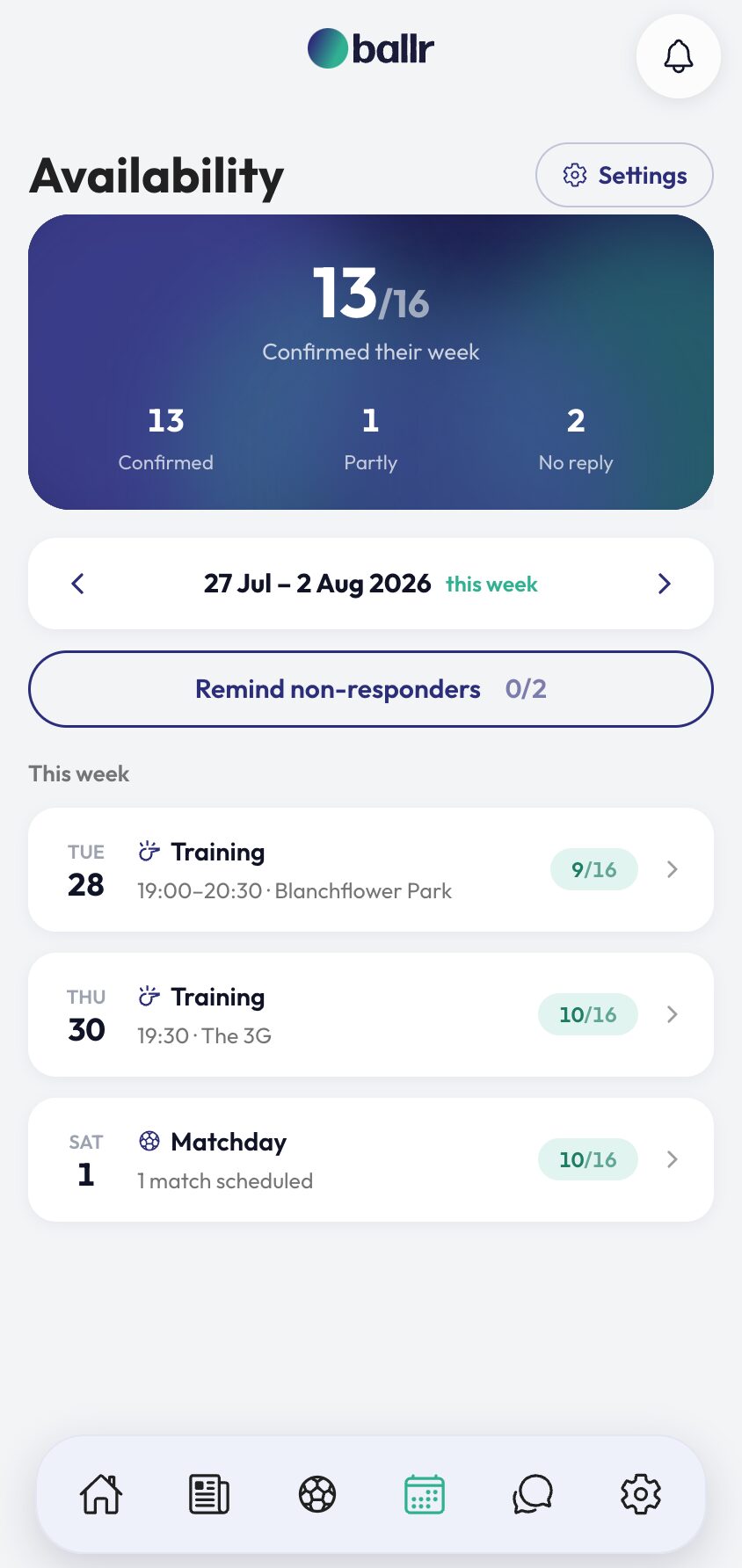


Video tutorial coming soon: setting your weekly ask and maximizing response rates.
Questions
About this
guide.
Does one message really cover training and matches?
Yes. That is the point of it. A squad asked twice answers once and forgets the other, so Ballr asks once and the player answers the lot on one screen. Underneath, training and match answers are still stored separately — your match pages and squad selection are unchanged.
Can I remind only players who have not replied?
Yes, and that is the only thing the reminder does. It skips anybody with nothing outstanding, so a player who answered on Monday is never chased on Thursday. Two per week is the limit.
What if a fixture is added after the week has gone out?
It appears on everyone's week straight away and they can answer it — a matchday nobody has been asked about is still a matchday. If you want to prompt them, send a reminder.
Do I have to let it send automatically?
No. Manual is a real choice, not an off switch: the button is still there, the scheduler simply stops pressing it. New clubs start on manual so nothing reaches a squad before you have looked at it.
What happens if a match is called off?
It drops off the week. Nobody is asked about a game that is not happening, and it stops counting towards their answered total.
Can assistants view responses too?
Yes, based on their role permissions in your club account.
Put it into action
Try it with your own squad.
Set your club up in about ten minutes and work through this guide with your real fixtures in front of you.