
Ballr Plus feature
Training Nights That Repeat Themselves
Set the pattern once, tell Ballr the weeks you are not on, and stop rebuilding the same fortnight every fortnight.
Built with Northern Ireland clubs whose training moves for bank holidays, pitch closures and half term.

Who this is for
- Coaches who train the same nights most weeks.
- Clubs juggling more than one pitch or start time.
- Managers who want to know who actually shows up.
Before you start
- The nights and times you train.
- Where you train, and a maps link if the pitch is hard to find.
- Any dates you already know you are off.
Walkthrough
Step by step.
- 01
Set the weekly pattern
Open Training schedule and add a session for each night you train: the day, the start and finish, and the venue.
You are describing the pattern, not the dates. Ballr generates the actual sessions from it and keeps generating them, so a Tuesday and a Thursday set up in August are still appearing in February without anybody touching them.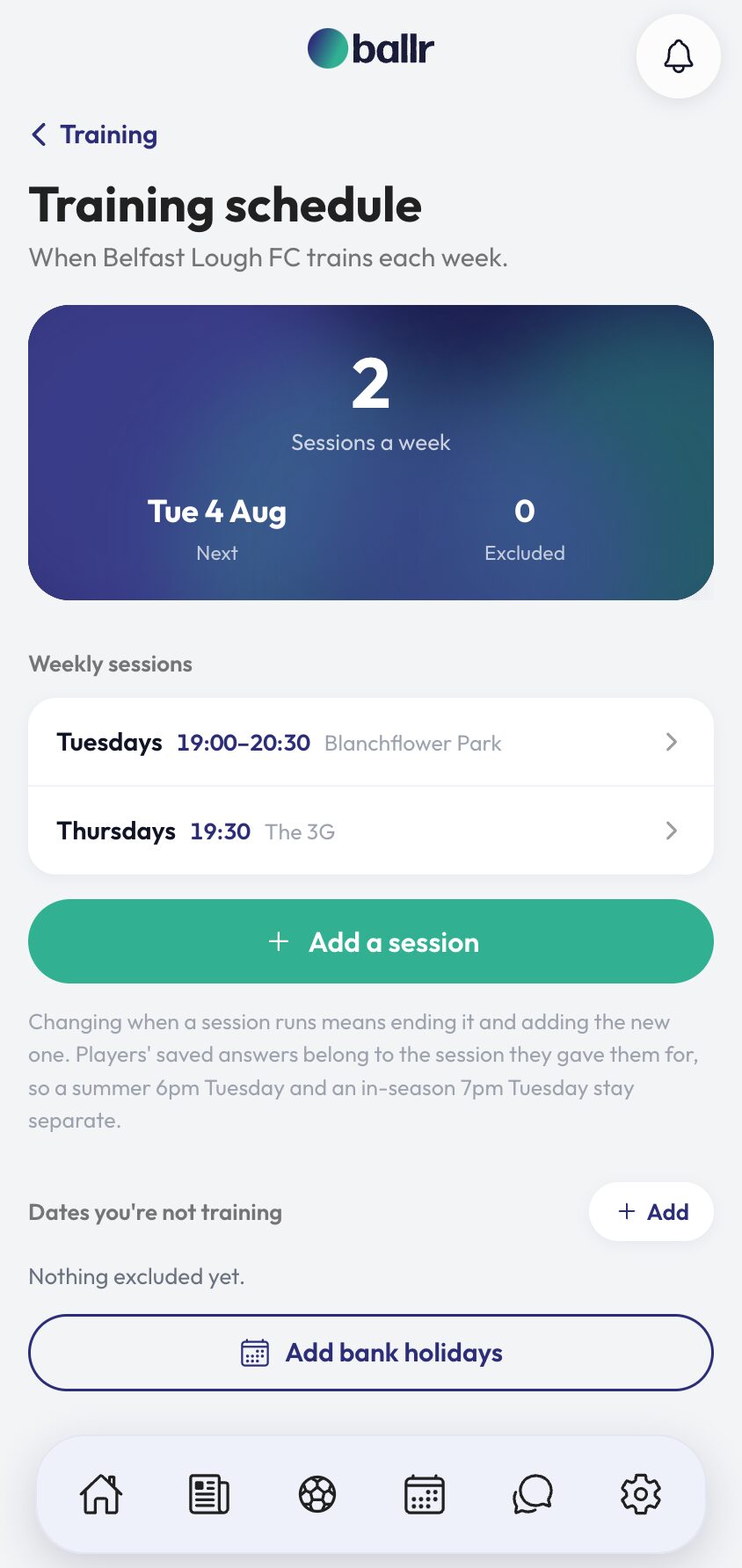
- 02
Tell it the weeks you are not on
Under Dates you're not training, add the ones you know about. Bank holidays go in as a batch — pick your nation and a range and Ballr adds the lot, because a coach knows the club does not train on them but not the dates of the next eight.
An excluded date removes its session entirely, so nobody is asked about a night that was never happening. Remove the exclusion and the session comes back.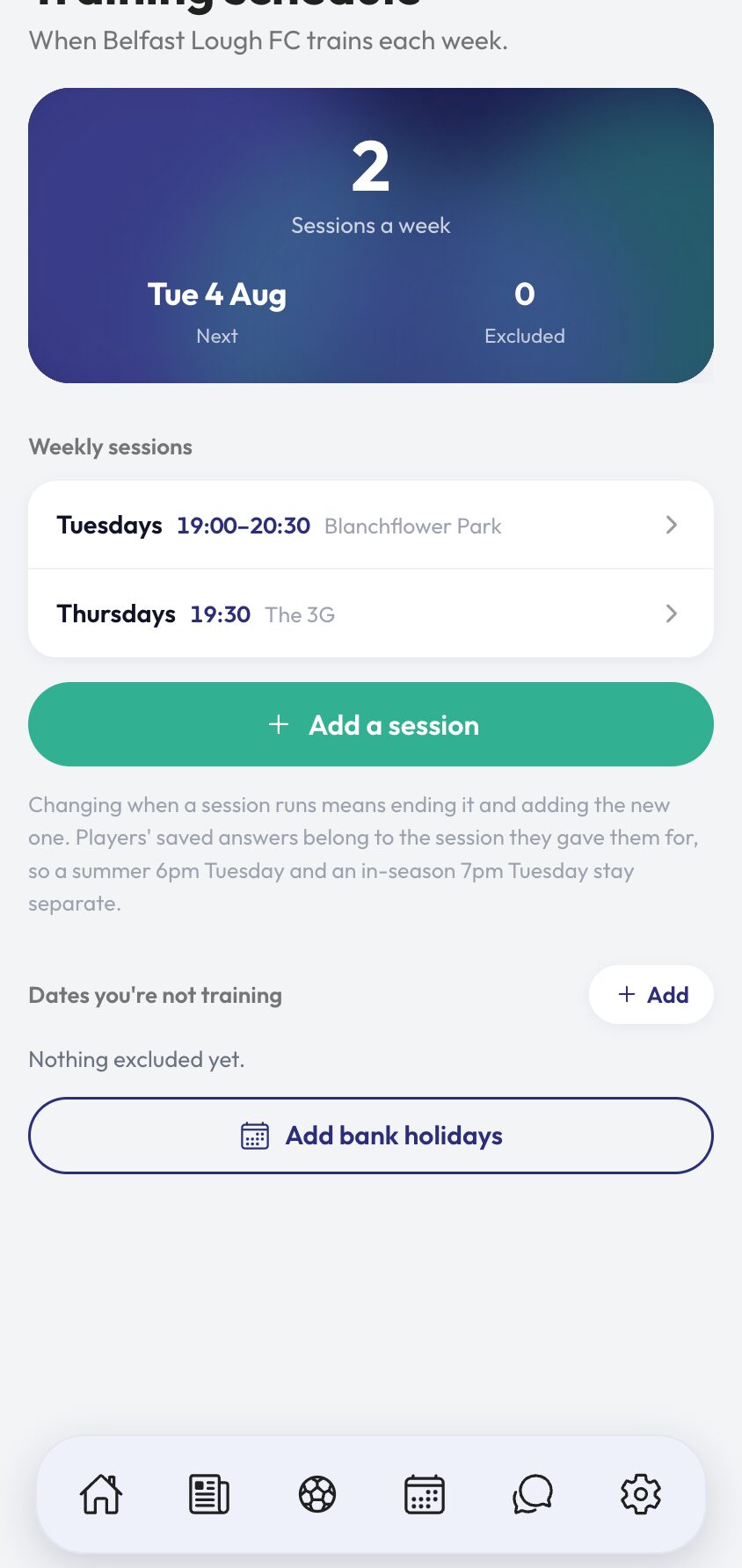
- 03
Handle the weeks that are different
Open the training week for one-offs. Add an extra session puts on a session that is not part of the pattern — a friendly warm-up, a pitch you borrowed. Cancel calls off a session that was going ahead, and tells the players who had answered.
Moving a pattern in place is allowed: future sessions regenerate on the new night and past ones stay where they were. But if you want a preseason 6pm Tuesday kept separate from an in-season 7pm one, end the first and add the second — answers belong to the session they were given for.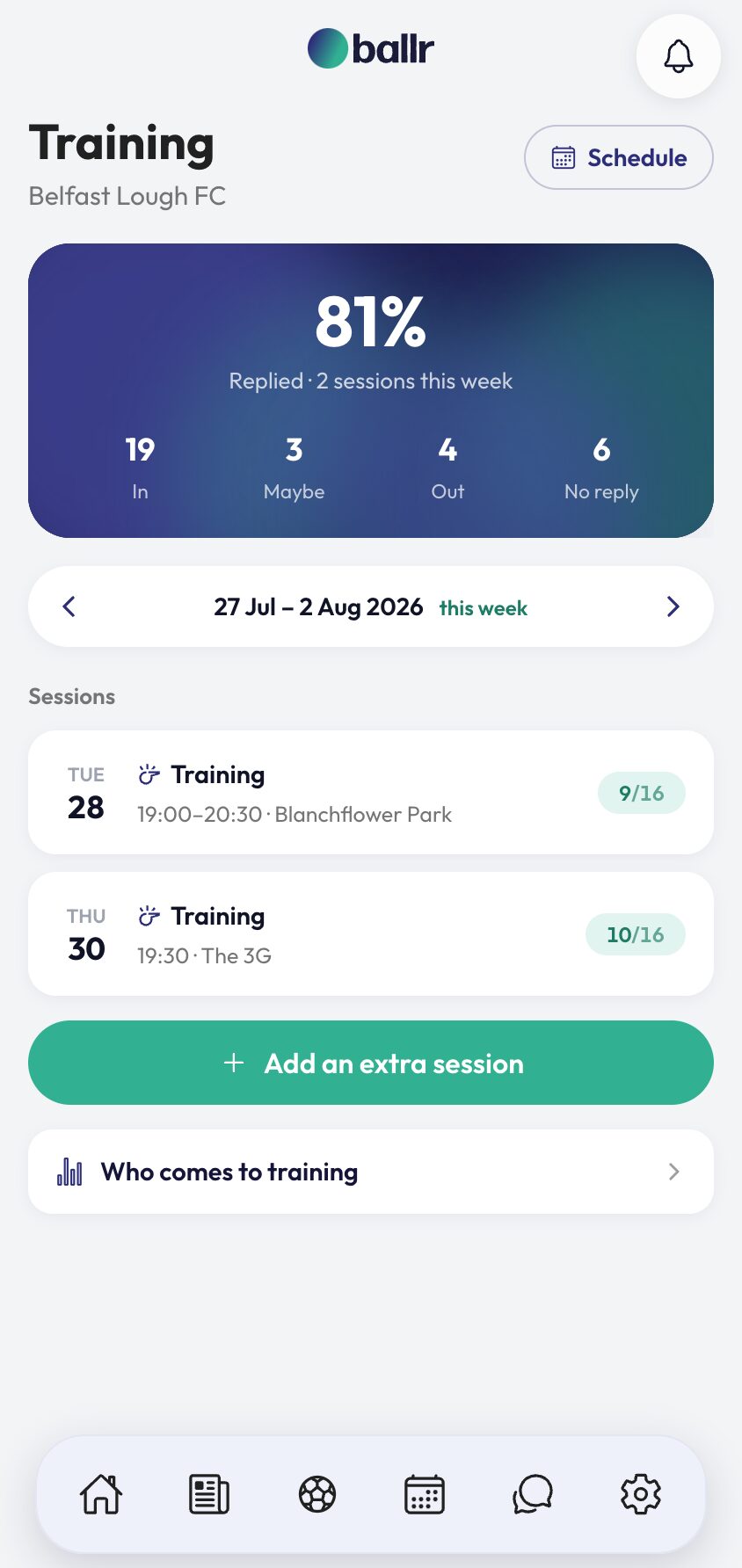
- 04
See who actually comes
Who comes to training is a season view, and it asks a different question from every other training screen: not what is on, but who turns up.
Answers are one thing and attendance is another. Confirm the register after a session and the difference between the players who said they were coming and the players who came becomes visible — which is usually the conversation worth having.
Training answers arrive through the same weekly ask as your matches — one message per player covering the whole week. See player availability tracking for how that ask is sent and chased.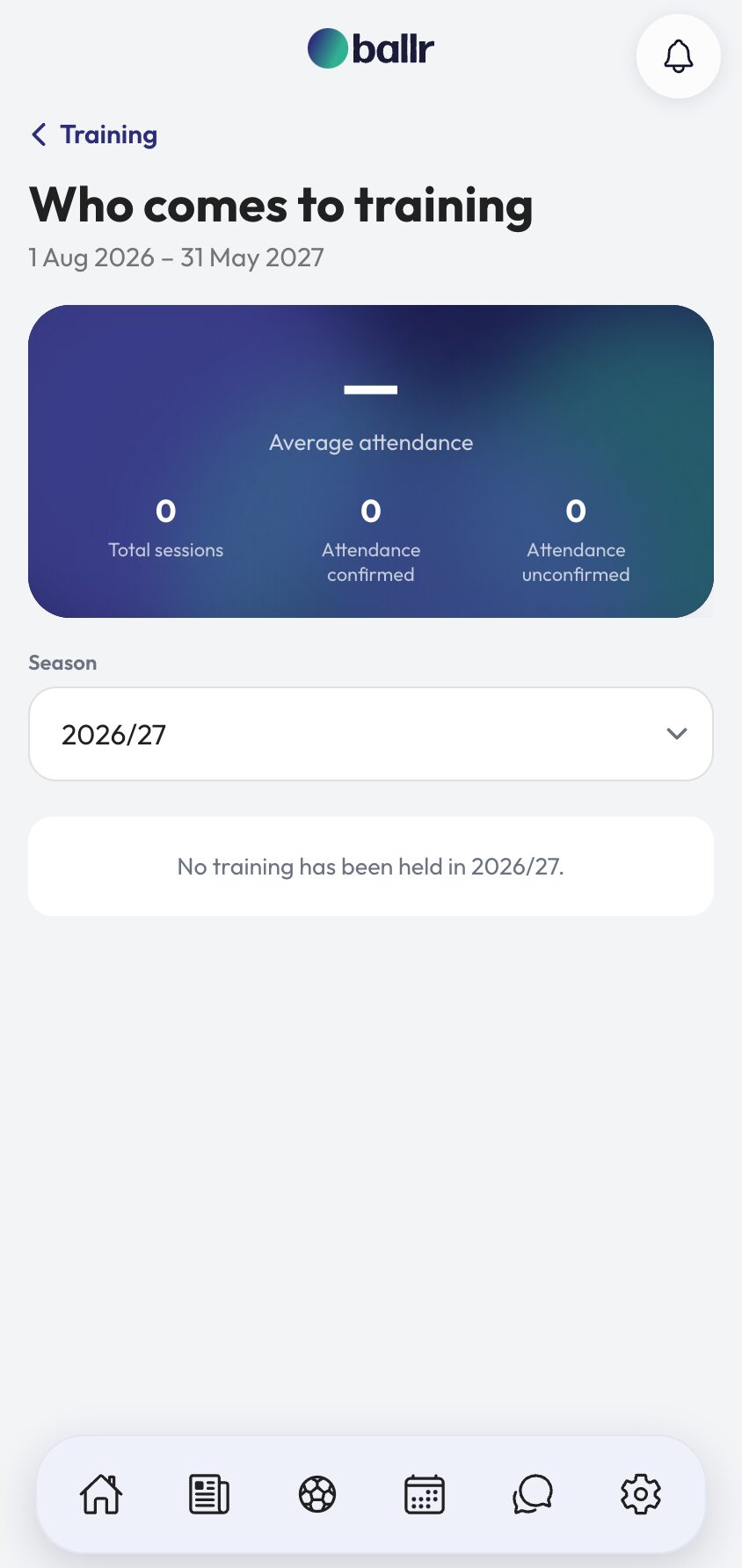


Video tutorial coming soon: a season of training set up in one sitting.
Questions
About this
guide.
Do players get asked about training separately?
No. Training sits inside the weekly availability ask alongside your matches, so a player answers everything once. See the availability guide for how that week is sent.
What happens to attendance if I delete a schedule?
Sessions that already happened survive it. A club deleting a pattern in March does not lose the record of who trained in February.
Can different teams train at different times?
Yes. Add a schedule per night and give each one a name, so a Tuesday first team session and a Wednesday reserves session read clearly on the week.
How late can a player change their training answer?
Right up until the session starts. There is nothing to plan around beyond turning up, so there is no reason to close it early.
Put it into action
Try it with your own squad.
Set your club up in about ten minutes and work through this guide with your real fixtures in front of you.