
Picking Your Matchday Squad
Turn a week of availability answers into a named squad, and a starting eleven, in about two minutes.
For Northern Ireland grassroots managers picking a squad on a Thursday night from whoever has actually answered.

Who this is for
- Managers picking a squad every week under time pressure.
- Coaches who want selection to follow availability rather than memory.
- Clubs where the same three players quietly play every week and nobody has noticed.
Before you start
- The week's availability request has gone out.
- Non-responders reminded, if you are going to.
- Any suspensions or injuries you know about.
Walkthrough
Step by step.
- 01
Read the week first
Open the matchday from availability. You get a response rate and four numbers — available, maybe, out, pending — and the names behind each.
Pending is the one that matters before you pick. Six unanswered on a Thursday is not six players who cannot play; it is six players you have not heard from, and one reminder usually turns most of them into an answer either way.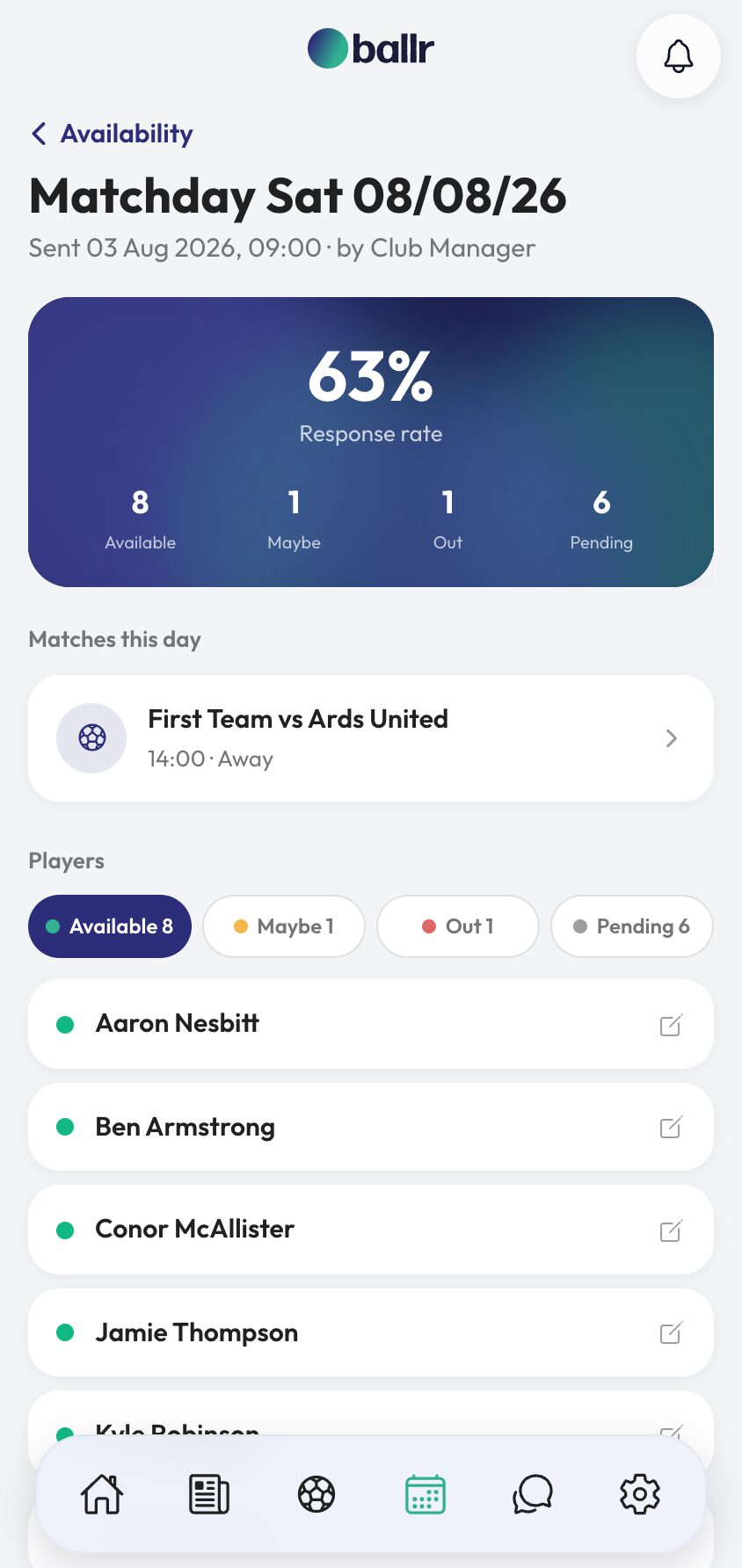
- 02
Open Select squad from the match
From the match, choose Select squad. The screen lists the players who marked themselves available for that specific matchday, with their position beside each name, and counts what you have picked as you go.
It shows availability rather than your whole squad list on purpose. Picking from everyone is how a manager names a player who told him on Monday he was away.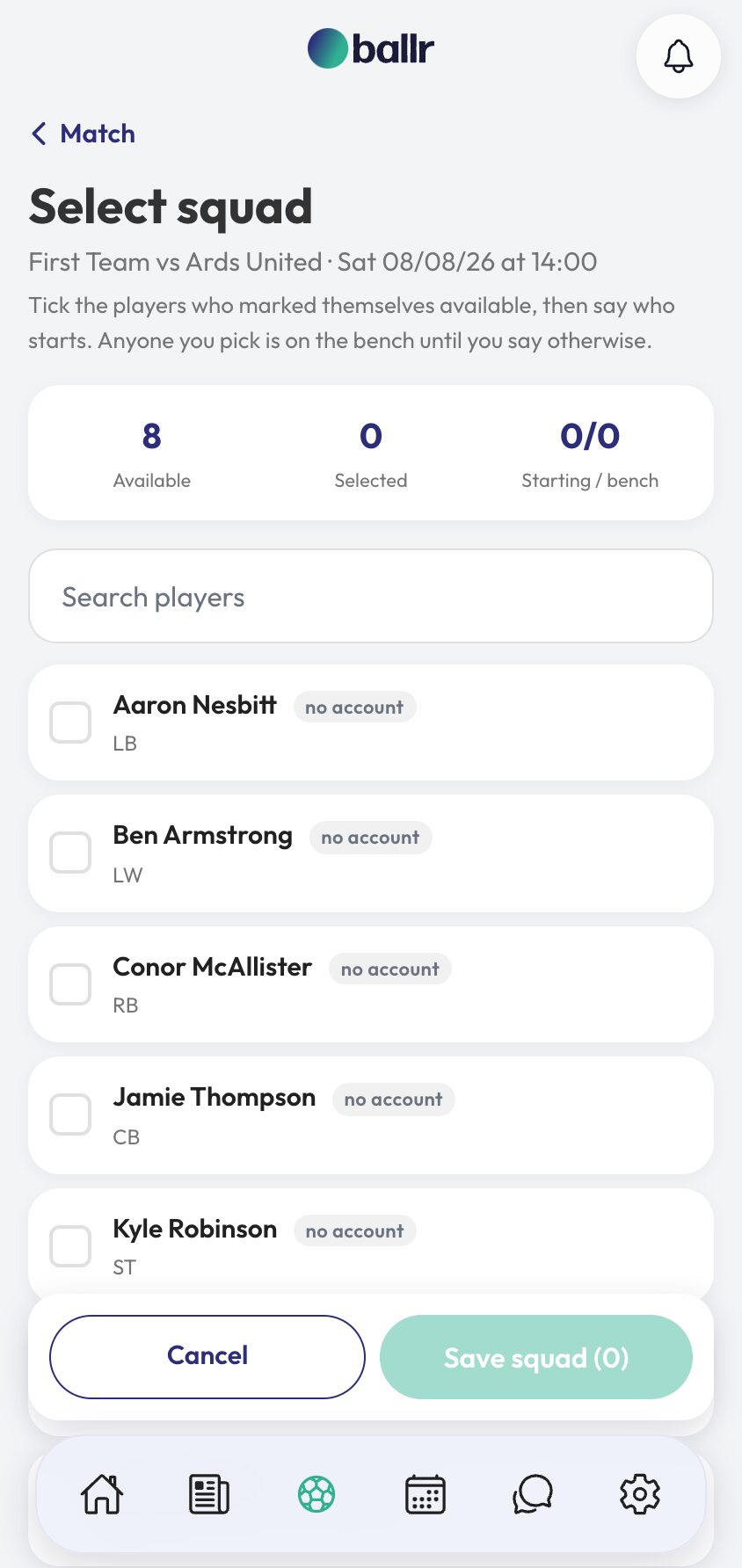
- 03
Pick the squad, then say who starts
Tick everyone travelling. Anyone you pick is on the bench until you say otherwise, then you promote your eleven — so the squad and the team sheet are two decisions rather than one, and you can name the squad on Thursday and settle the eleven on Saturday morning.
The counter at the top tracks available, selected, and starting versus bench as you work, which catches the ten-man team sheet before the referee does.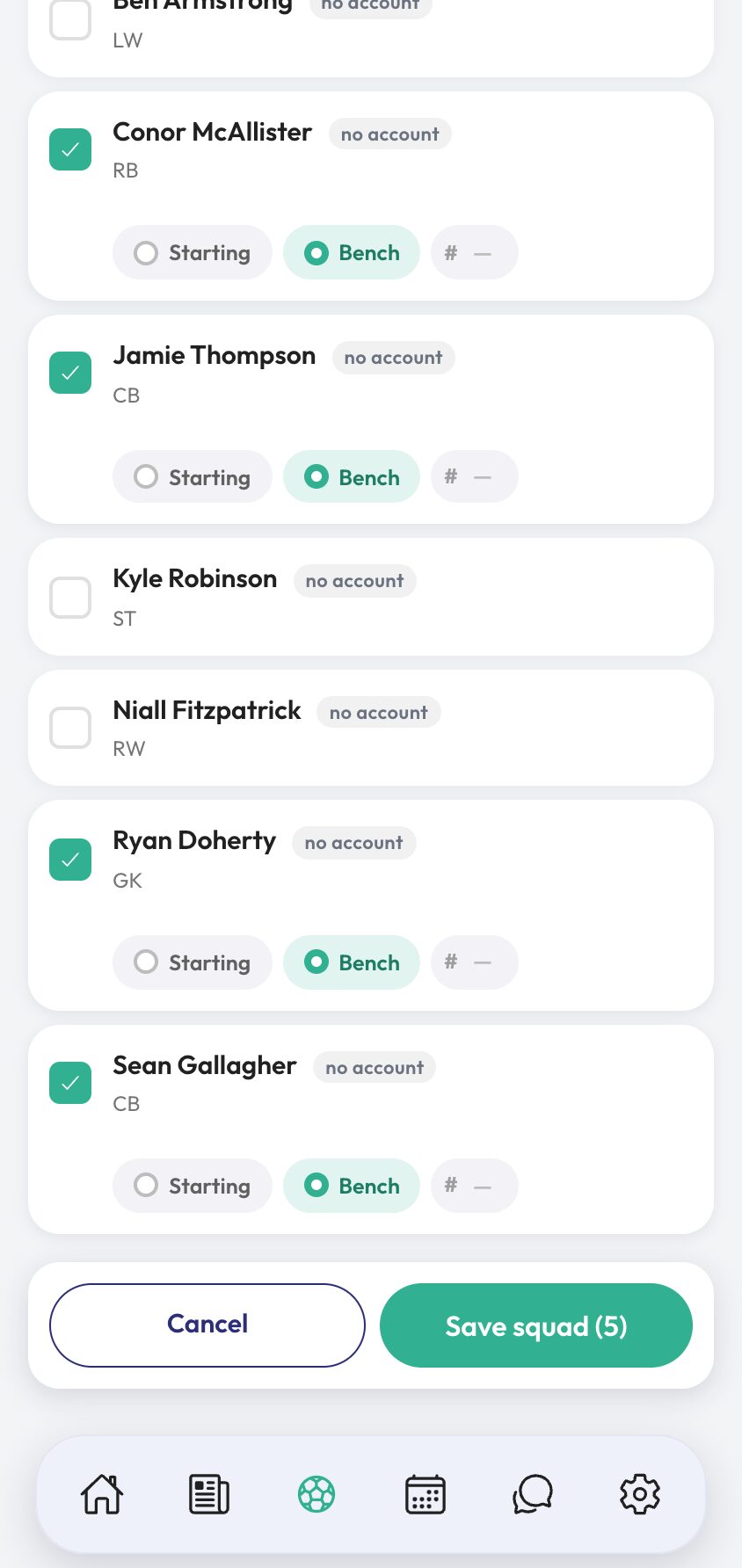
- 04
Save it, and let everything else use it
Press Save squad and the selection becomes the base for the rest of the matchday. The lineup builder starts from it, the squad and lineup graphics are generated from it, and appearances in your player stats are counted from it.
That last one is worth knowing. A player's appearance count comes from the squads he has been named in, so a game where nobody saved a squad is a game that never happened as far as the stats are concerned.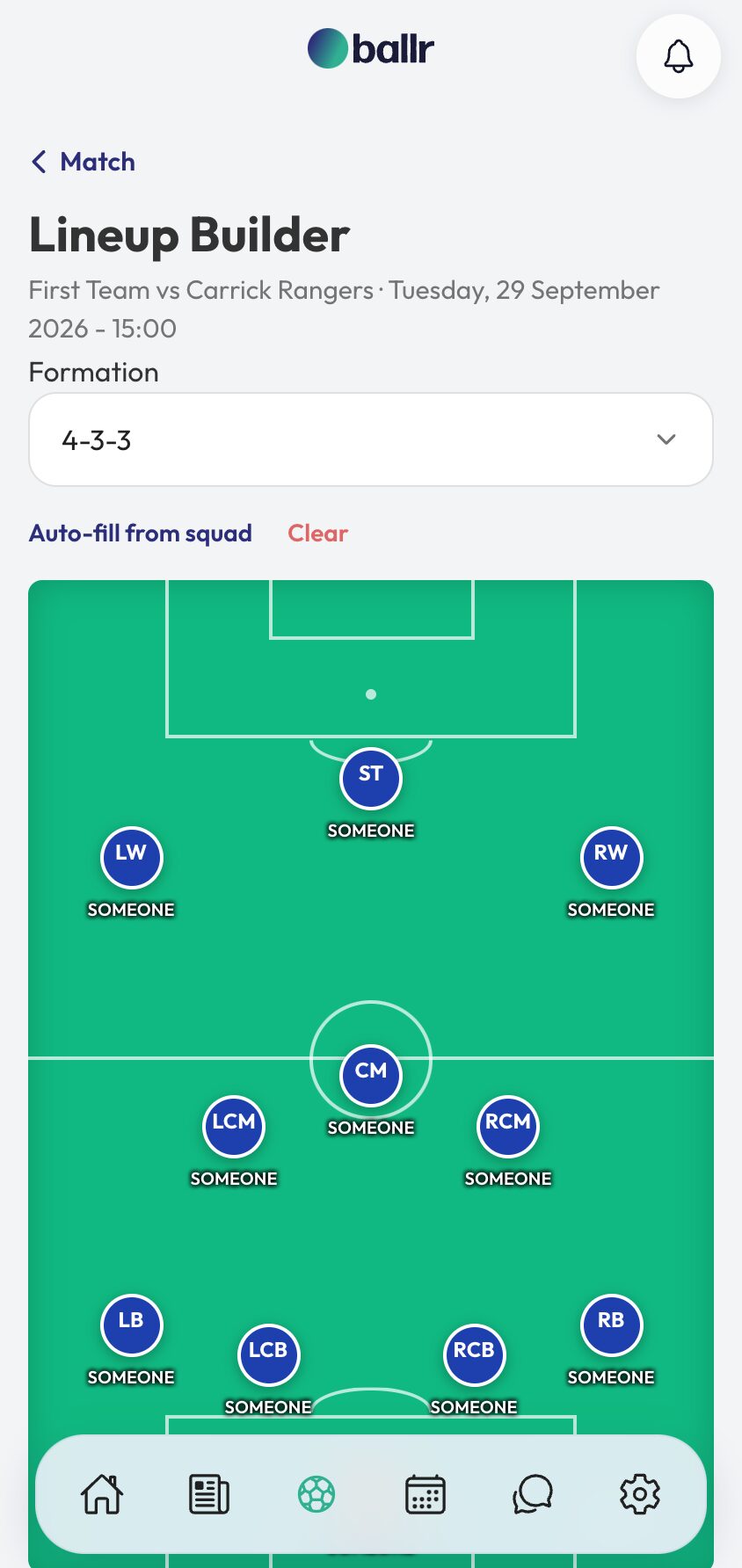


Video tutorial coming soon: a full week from availability request to saved team sheet.
Questions
About this
guide.
Can I change the squad after saving?
Yes, right up to kick-off and after it. Late call-offs are the normal case at this level, not the exception, so nothing about the squad is locked once saved.
Why can I only see available players?
Because that is the list you are actually picking from. Players who said no, or said nothing, are not there — which is the whole point of asking. If somebody tells you in person, change their answer on the matchday and they appear.
Does this work with more than one team?
Yes. Selection belongs to a match, and a match belongs to a team, so each manager sees their own squad and their own answers without tripping over the other side of the club.
Does the squad affect player stats?
Yes — appearances are counted from saved squads in competitive matches. Goals and assists come from match events; being named in the squad is what counts as having played.
Put it into action
Try it with your own squad.
Set your club up in about ten minutes and work through this guide with your real fixtures in front of you.