
Ballr Plus feature
Lineup Graphics for Match Day
Build clean starting XI graphics for social media in a repeatable workflow.
Designed for grassroots clubs in Northern Ireland and beyond that want professional-looking lineup graphics for matchday posts.

Who this is for
- Social media volunteers producing matchday visuals.
- Managers who want faster, consistent lineup announcements.
- Clubs improving visual branding across channels.
Before you start
- Your squad for the match is confirmed.
- Club logo and colours are set correctly.
- Player names and numbers are accurate.
Walkthrough
Step by step.
- 01
Open lineup builder from the match screen
Go to your match and launch lineup builder. This keeps your lineup workflow connected to actual fixture data — the opponent, competition and kick-off are already there, so nothing is typed twice and nothing goes out with last week's date on it.
Pick your squad first if you have not. The builder auto-fills from a saved squad, which turns this into a two-minute job rather than a twenty-minute one — see picking your matchday squad.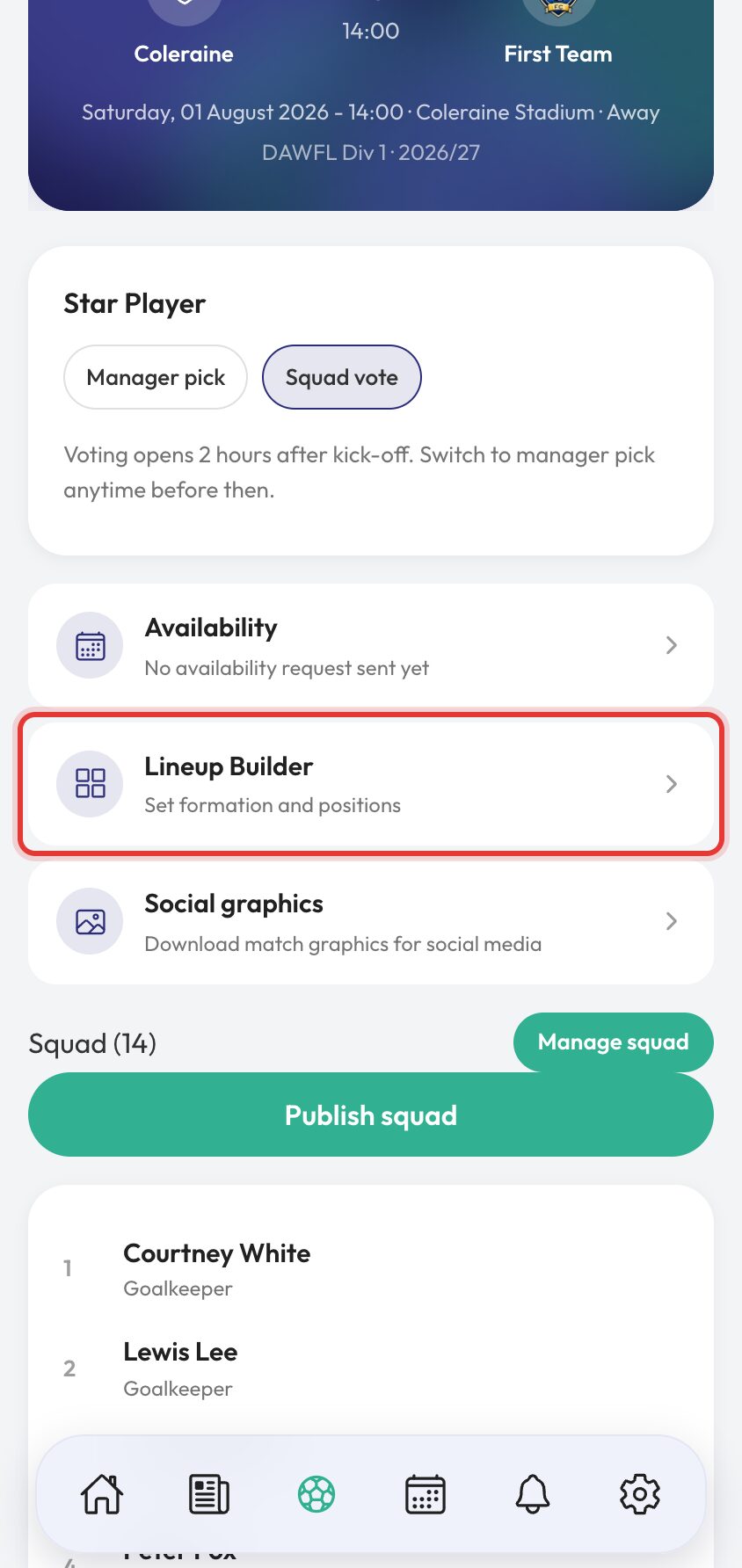
- 02
Choose formation and kit colours
Select your formation from our list of pre-set common formations or drag around each player in the lineup graphic to create your own.
Kit colours default to your club colours but can be changed if you wish.
You can also choose to show shirt numbers on the graphics in the settings menu.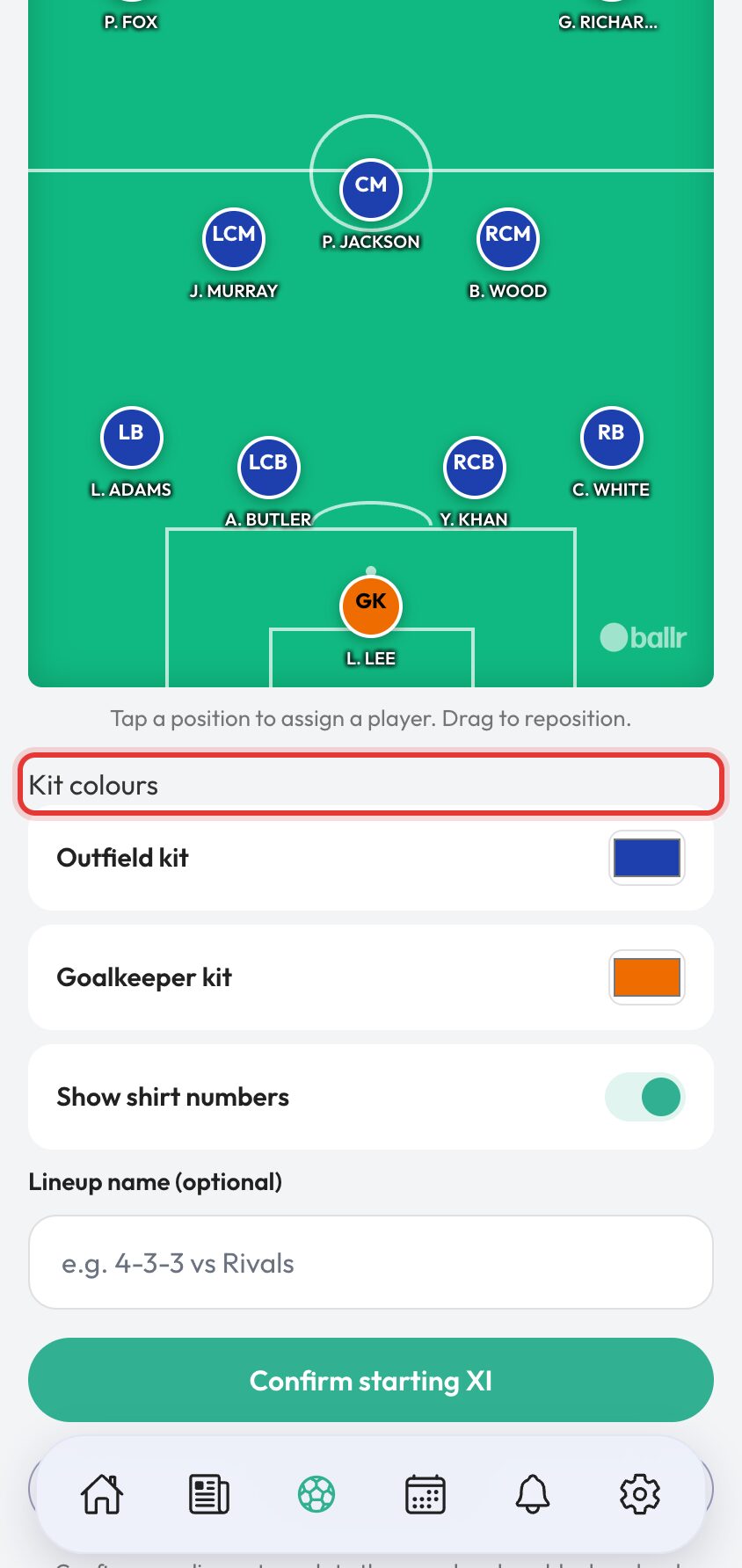
- 03
Add players to your lineup
Click on a position in the lineup graphic and select a player from your squad. The system will show you players with matching positions if you have already assigned a position to them in their player profile.
From the player selection menu you can also assign a shirt number and assign the role of captain if you wish.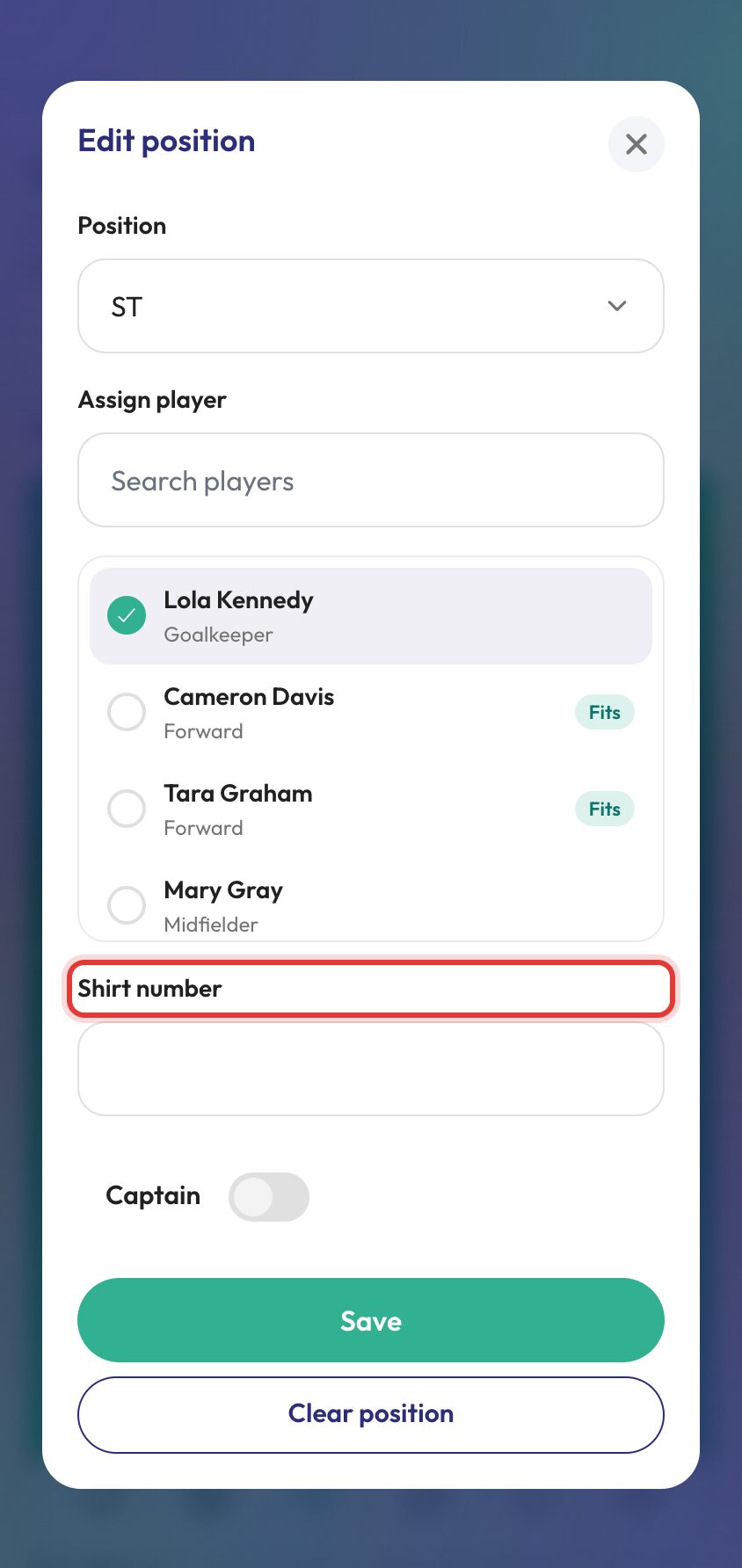
- 04
Download your lineup graphic
Click the download button to save your lineup graphic to your device.
The image can go straight onto your social channels or into a club feed post, or to the squad itself so everyone knows where they are playing before they arrive.
If the eleven changes, come back and download again — the graphic is built from the lineup, so fixing the lineup fixes the graphic. For fixture announcements and full-time results rather than the starting XI, see matchday graphics.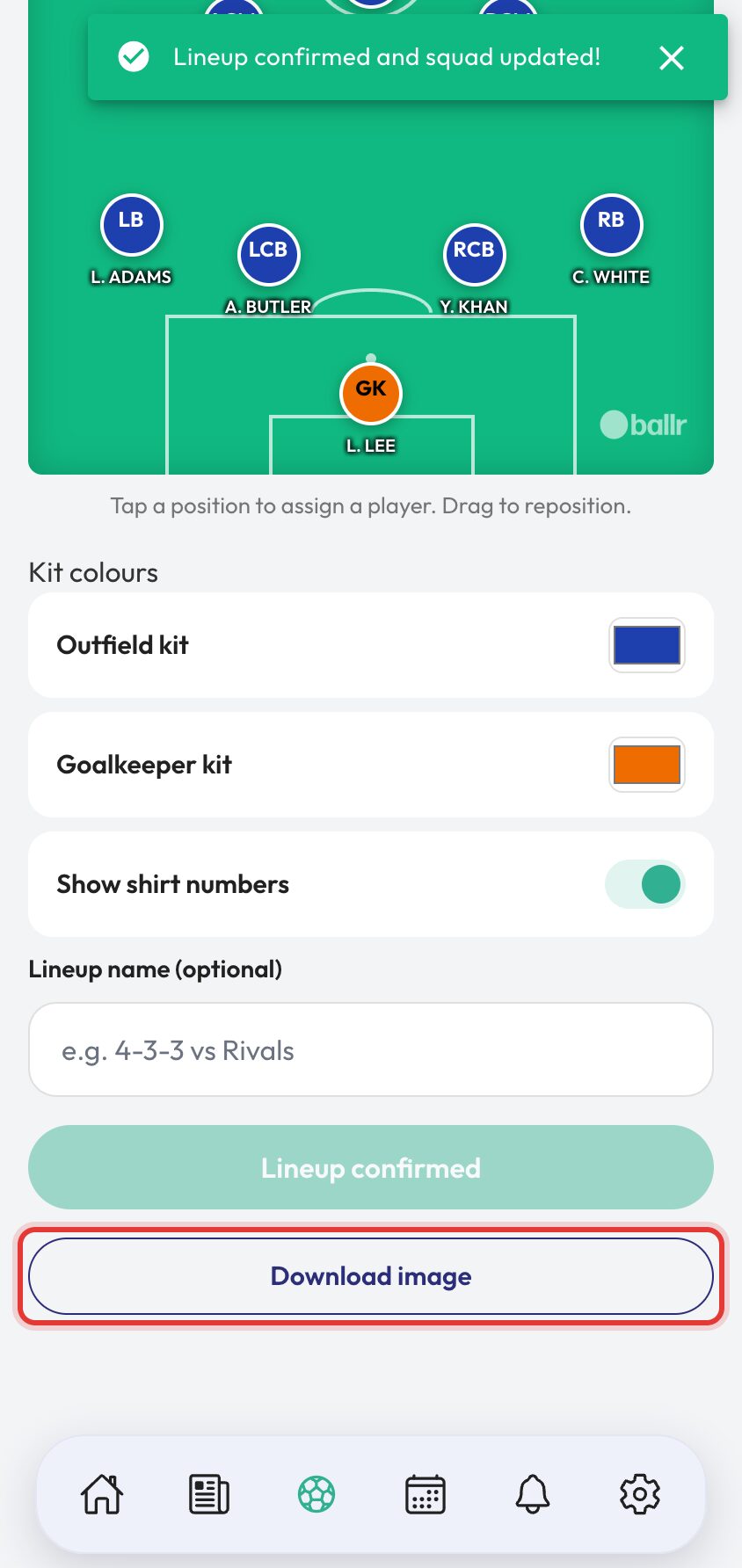


Video tutorial coming soon: complete lineup graphics workflow from squad to social post.
Questions
About this
guide.
Can I update the lineup graphic after publishing?
Yes. Regenerate a fresh version when your final XI changes.
Do I have to use the pre-set formations?
No. You can create your own formation by dragging players around the graphic. You can also use the pre-set formations if you prefer.
Can I change the kit colours after creating the graphic?
Yes. You can change the kit colours in the settings menu after creating the graphic.
Do I have to add players one at a time?
No. Auto-fill from squad drops your saved squad onto the pitch in one go, and you drag from there. Placing eleven players by hand every week is the thing most managers give up on by October.
Put it into action
Try it with your own squad.
Set your club up in about ten minutes and work through this guide with your real fixtures in front of you.