
Ballr Plus feature
Matchday Graphics for Social
Four graphics per match, in square and story, generated from the fixture you already entered.
For Northern Ireland grassroots clubs whose social media is run by one volunteer with a phone and no design software.

Who this is for
- Whoever posts for the club on Instagram, Facebook or X.
- Managers who want the same look every week without making it every week.
- Clubs whose graphics currently depend on one person's Canva account.
Before you start
- The fixture is in Ballr, with team, opponent, date and venue.
- Your club badge and colours are set on the club profile.
- A saved squad, if you want the lineup or squad graphic.
Walkthrough
Step by step.
- 01
Open Social graphics from the match
Go to the match and choose Social graphics. You get four types: Matchday Graphic for the fixture announcement, Starting Lineup, Full Squad, and Match Result.
Nothing here asks you to re-enter anything. The date, kick-off, venue, opponent and badges come from the fixture, and the names come from the squad you saved — which is the only reason a club can realistically post four times a match.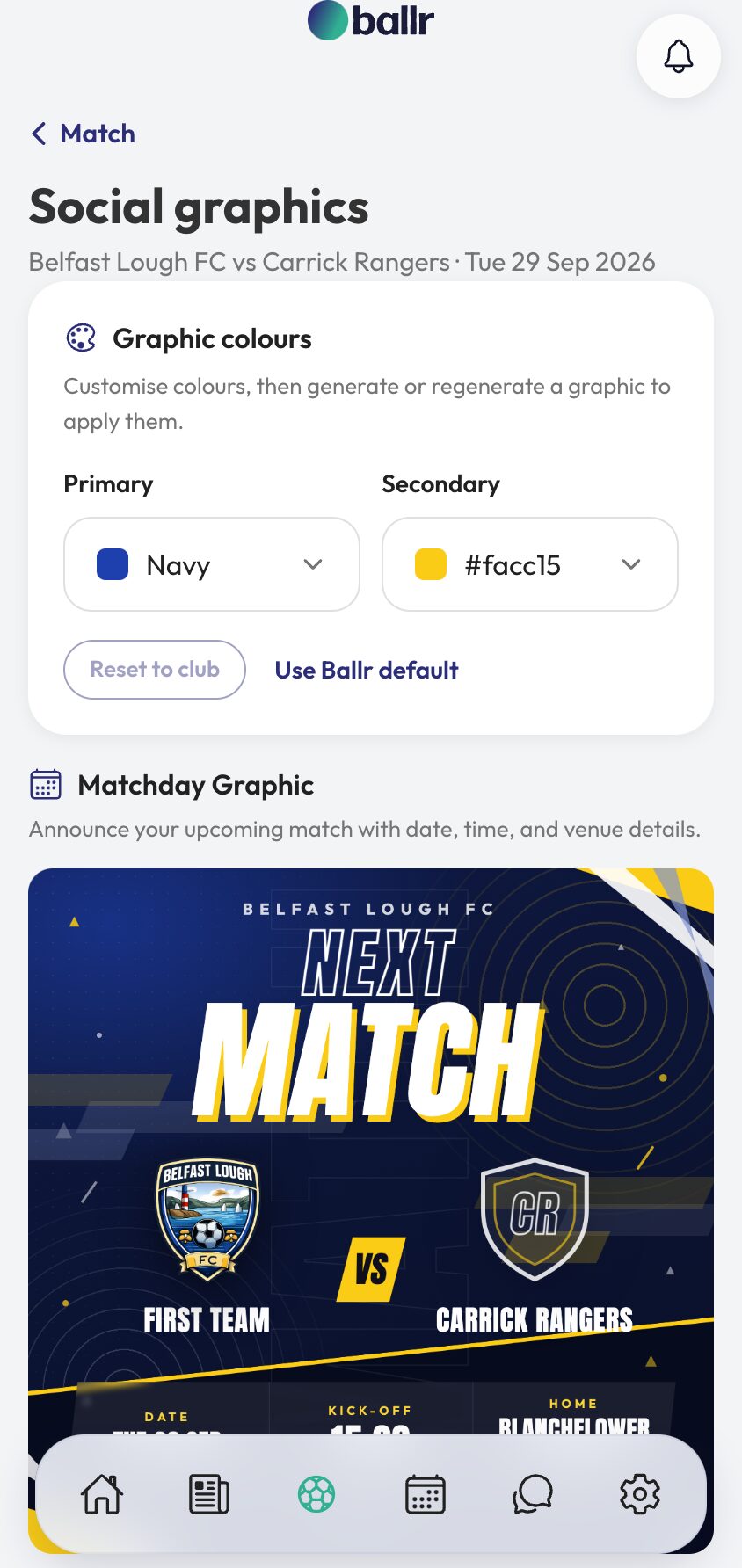
- 02
Set your colours once
At the top of the page are the graphic colours — a primary and a secondary, defaulting to your club colours. Change them if you want, or press Reset to club to go back, or Use Ballr default if your kit colours fight each other on screen.
Colours apply when a graphic is generated, so if you change them afterwards you regenerate to see it. Set them once at the start of the season and leave them; a club that looks the same every week is a club people start recognising in a feed.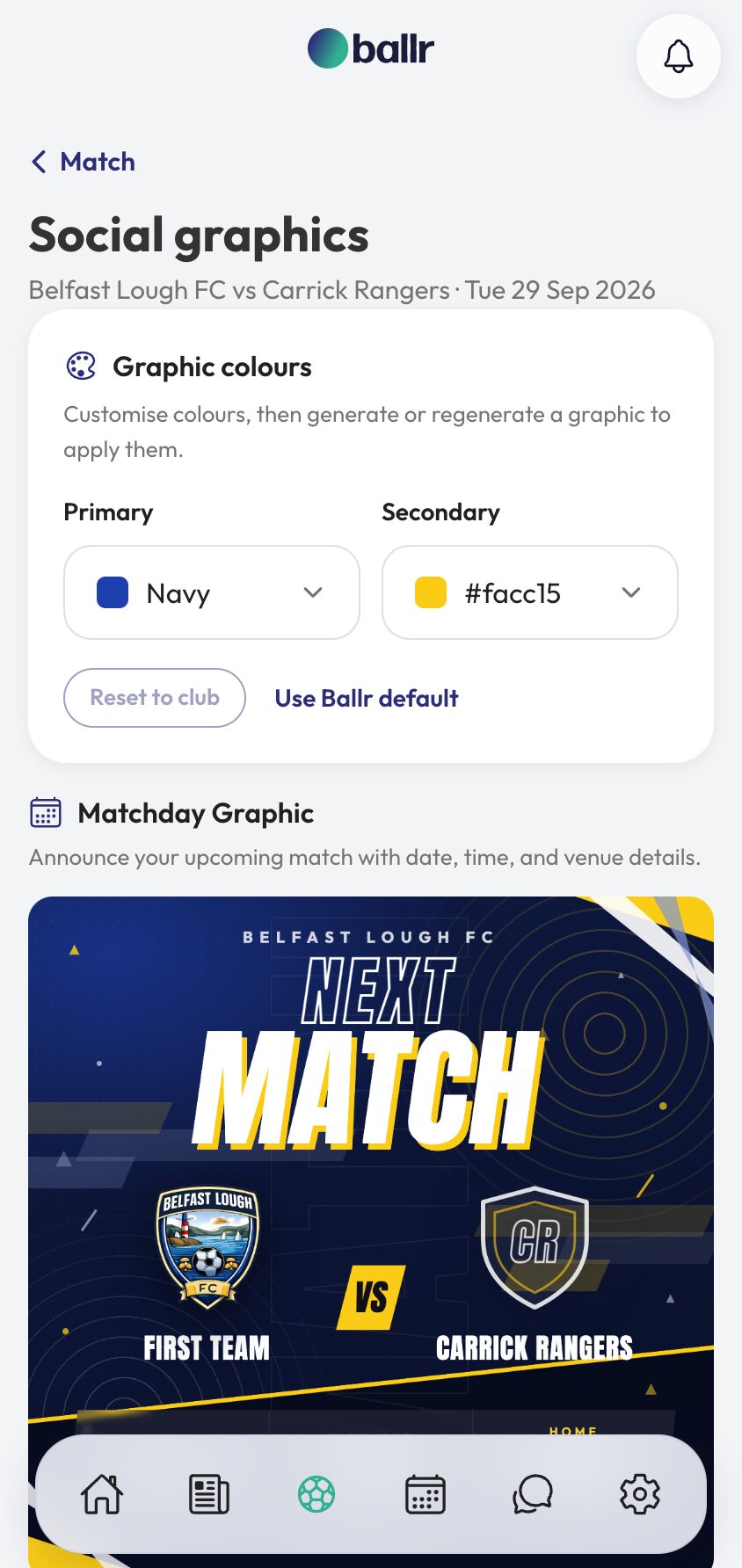
- 03
Generate the size you need
Each type comes in two sizes: Square at 1080×1080 for Instagram, Facebook and X, and Story at 1080×1920 for Instagram and Facebook Stories. Press Generate on the one you want and download it.
Generate both if you post to both. They are not the same image scaled — a story has room the square does not, and a square crop of a story is how half a team sheet ends up off the top of the screen.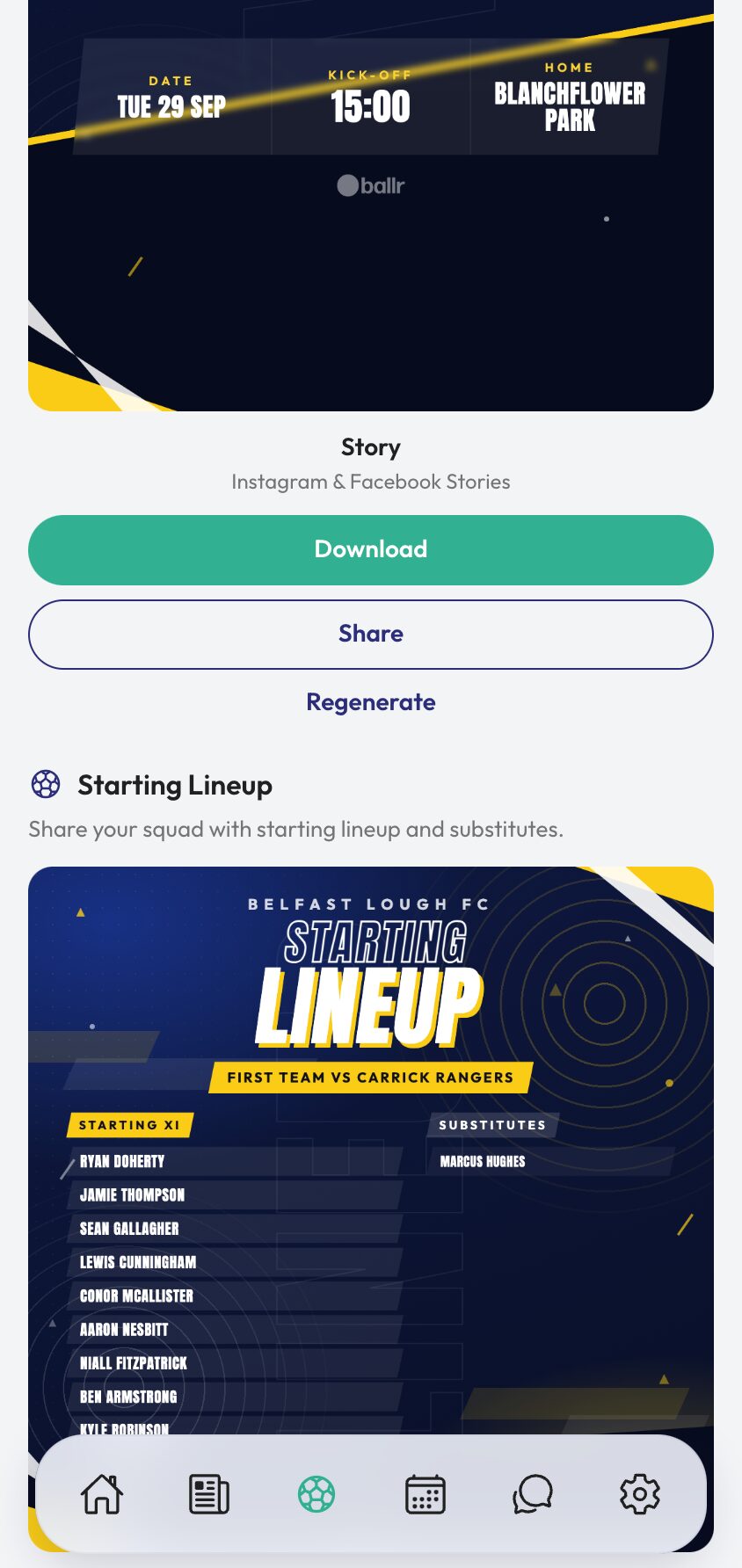
- 04
The result graphic comes after the match
Match Result sits greyed out until the game is played, and says so: Result graphic is only available after the match has been played. Enter the score and it becomes available with the final score on it.
Regenerate any graphic whenever the underlying facts change — a postponed kick-off, a late change to the eleven, a score corrected on Sunday morning. The graphic is built from the match, so fixing the match fixes the graphic.
For arranging a formation on a pitch rather than generating a finished post, that is the lineup builder — and the graphics you make here belong in a club feed post.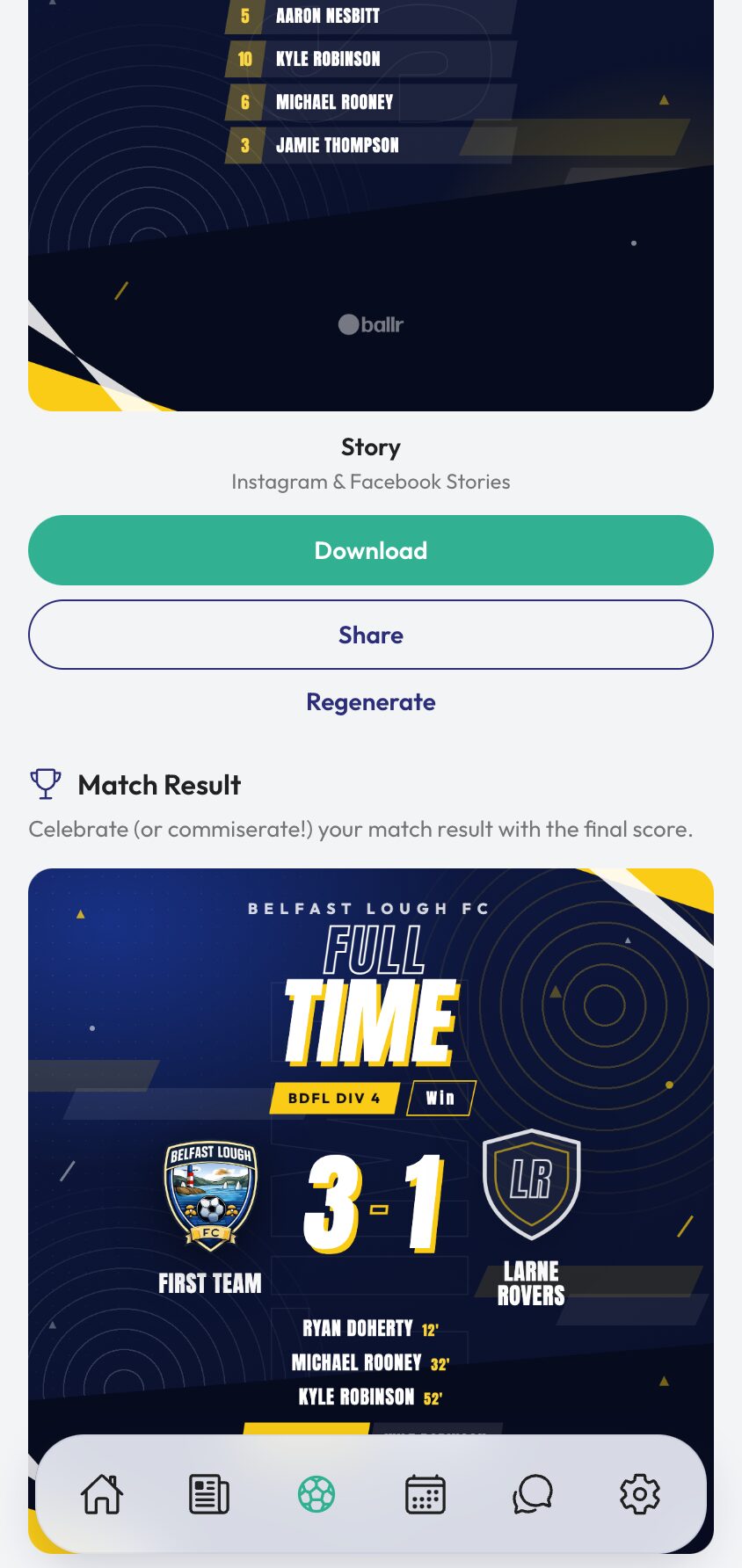


Video tutorial coming soon: a full matchday of graphics, from announcement to full-time result.
Questions
About this
guide.
What sizes do I get?
Square at 1080×1080 and story at 1080×1920, for every graphic type. Between them they cover Instagram, Facebook and X feed posts and both platforms' stories.
Why is the result graphic greyed out?
Because the match has not been played yet. It needs a score, so it unlocks once you have marked the match played and entered the result.
Can I use our own colours?
Yes — the primary and secondary default to your club colours and can be changed per match. Colours are applied at generation, so regenerate after changing them.
How is this different from the lineup builder?
The lineup builder is where you arrange a formation and place players on a pitch. This page generates finished graphics from the match and squad, including the fixture announcement and the result, which the builder does not do.
Put it into action
Try it with your own squad.
Set your club up in about ten minutes and work through this guide with your real fixtures in front of you.