
Seasons and Competitions
Tell Ballr when your season runs and what you play in, and every fixture files itself.
Set up for the Northern Ireland grassroots calendar, where an August-to-May season is the norm and clubs run a league and two cups at once.

Who this is for
- Secretaries setting the club up before a new season.
- Clubs playing in more than one competition.
- Anyone whose stats look wrong because fixtures landed in the wrong year.
Before you start
- The months your season starts and ends.
- The names of the leagues and cups you are entered in.
- Owner, admin or financial admin access — season dates sit in club settings.
Walkthrough
Step by step.
- 01
Set when your season runs
In Club settings, under Season configuration, choose the month your season starts and the month it ends. Most clubs here run August to May.
This is the setting everything else hangs off. It decides which season a fixture belongs to, where a result is counted, and how a player's goals are grouped. Get it right once and you will not think about it again.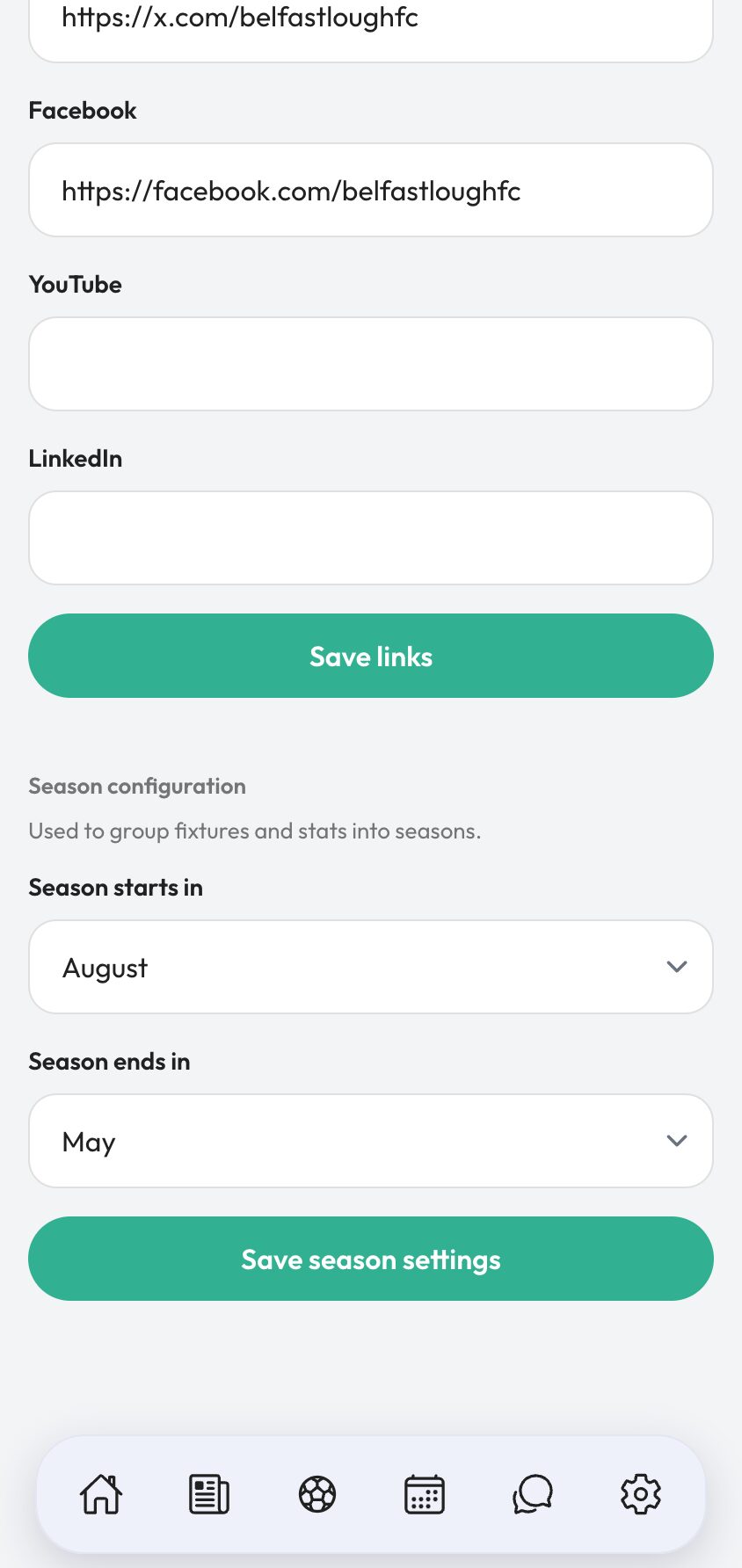
- 02
Check the seasons list
Ballr builds the seasons from those months, with the current one marked. You can see each season's dates and add more if your club needs a season that does not follow the standard pattern.
Past seasons are not clutter. They are where last year's results, appearances and scorers live, and they are what makes a club record worth having.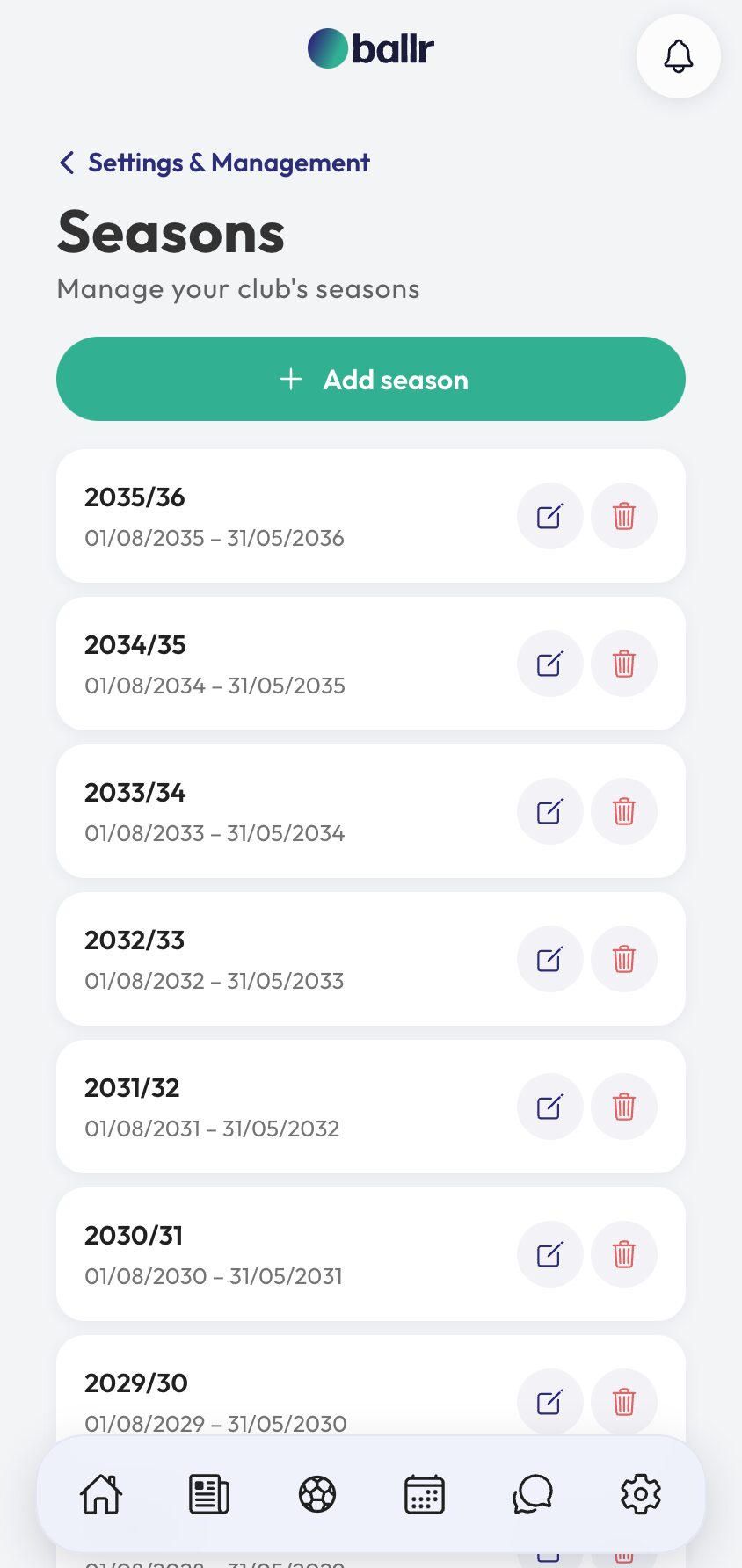
- 03
Add your competitions
Under Competitions, add each league and cup you are entered in, with its type and the season it belongs to.
Competitions are per season, which is deliberate. A club promoted out of Division 4 does not want this year's fixtures filed under last year's league.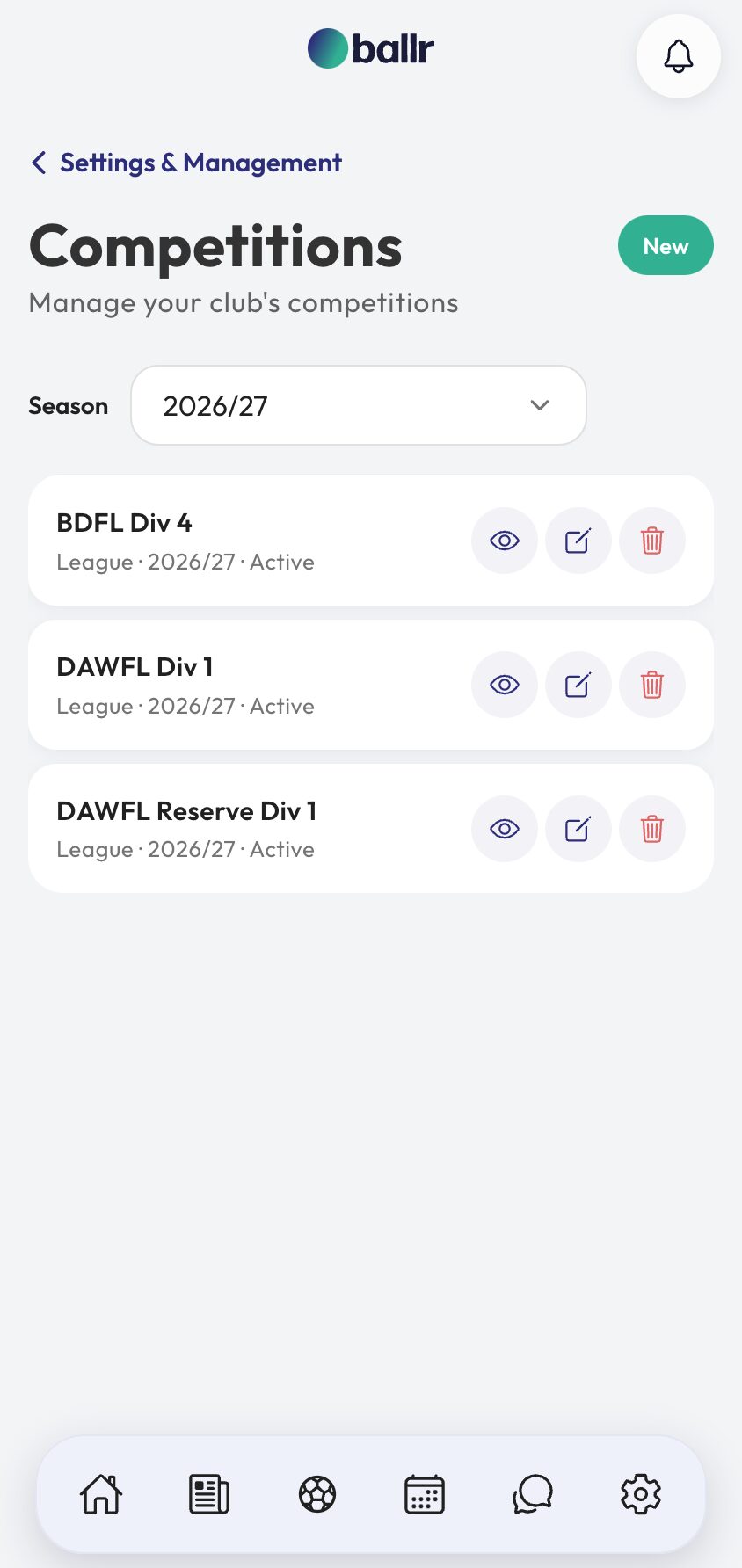
- 04
File fixtures as you add them
When you create a match, pick its competition. The match form only offers competitions from the current season, so a fixture cannot quietly land in the wrong year.
From there it is automatic: the match page shows the competition, the season record counts it, and your stats can be read a league at a time rather than as one undifferentiated pile of games.
That is what makes player stats trustworthy: only competition matches count towards them, so filing a fixture correctly when you add it is what keeps the season table honest.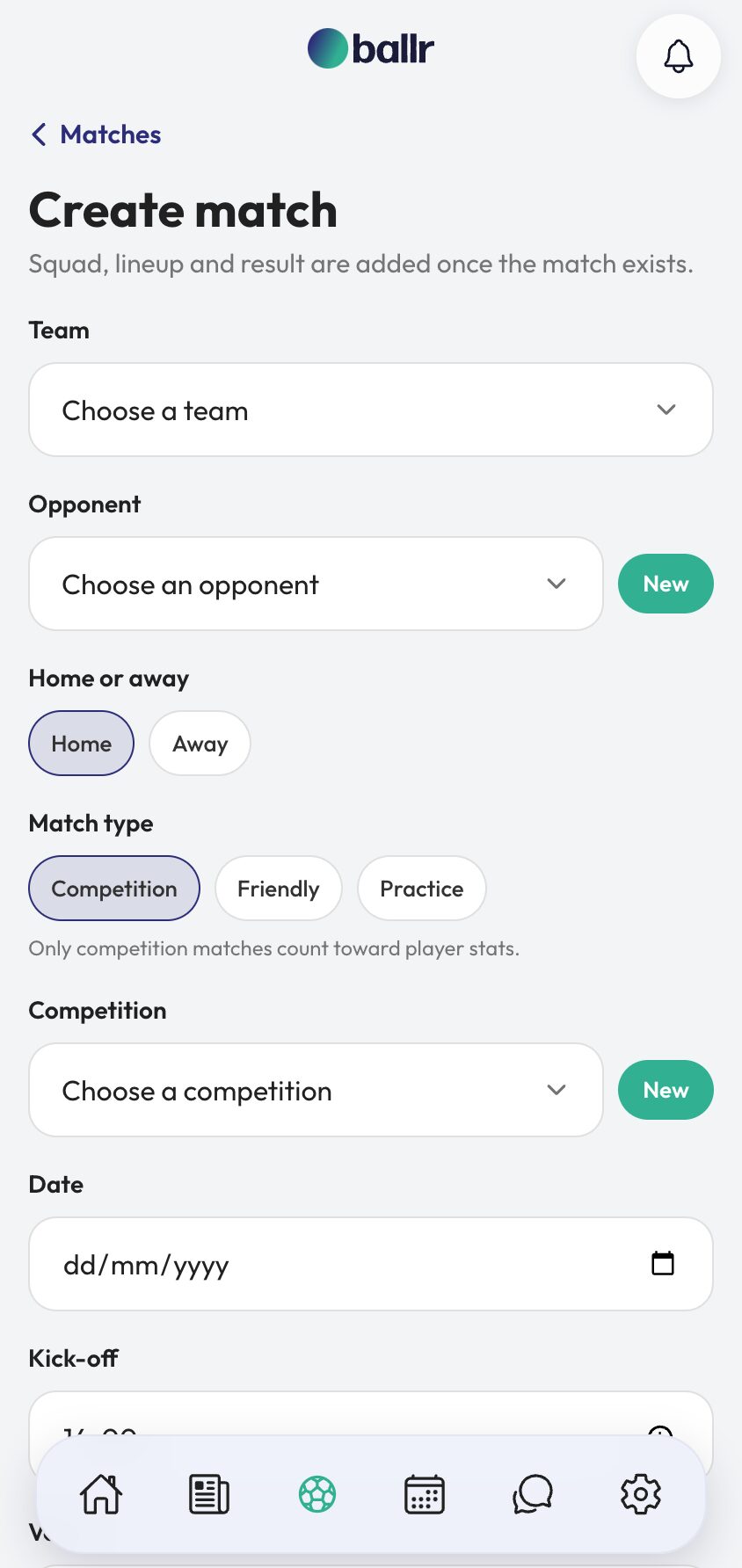


Video tutorial coming soon: a full season set up before the first fixture.
Questions
About this
guide.
What if our season runs January to December?
Set the start and end months to match. Nothing assumes an August start beyond the default.
Can I move a match into a different competition?
Yes. Edit the fixture and change it. Stats and season records follow the change.
Do friendlies need a competition?
No. Leave it off and the match shows as a friendly, which keeps them out of your league record where they do not belong.
Why can I not see last season's competitions on the match form?
On purpose. The form is scoped to the current season so a new fixture cannot be filed against a competition that has finished.
Put it into action
Try it with your own squad.
Set your club up in about ten minutes and work through this guide with your real fixtures in front of you.