
Running More Than One Team
A first team, a reserves and a youth side in one club account, without three of everything.
For grassroots clubs running a first team, a reserve side and youth teams off the same committee.

Who this is for
- Clubs with a first team and reserves.
- Committees running senior and youth sides together.
- Secretaries who currently keep a separate spreadsheet per team.
Before you start
- The names of your teams.
- Which players belong to which side, roughly.
- Your fixtures — they can be reassigned later if needed.
Walkthrough
Step by step.
- 01
Add your teams
Open Teams and add one for each side you run. Each carries a name and its category, and shows how many matches it has played.
Teams are a way of splitting fixtures and results, not a way of splitting the club. There is still one badge, one feed, one squad list and one set of admins.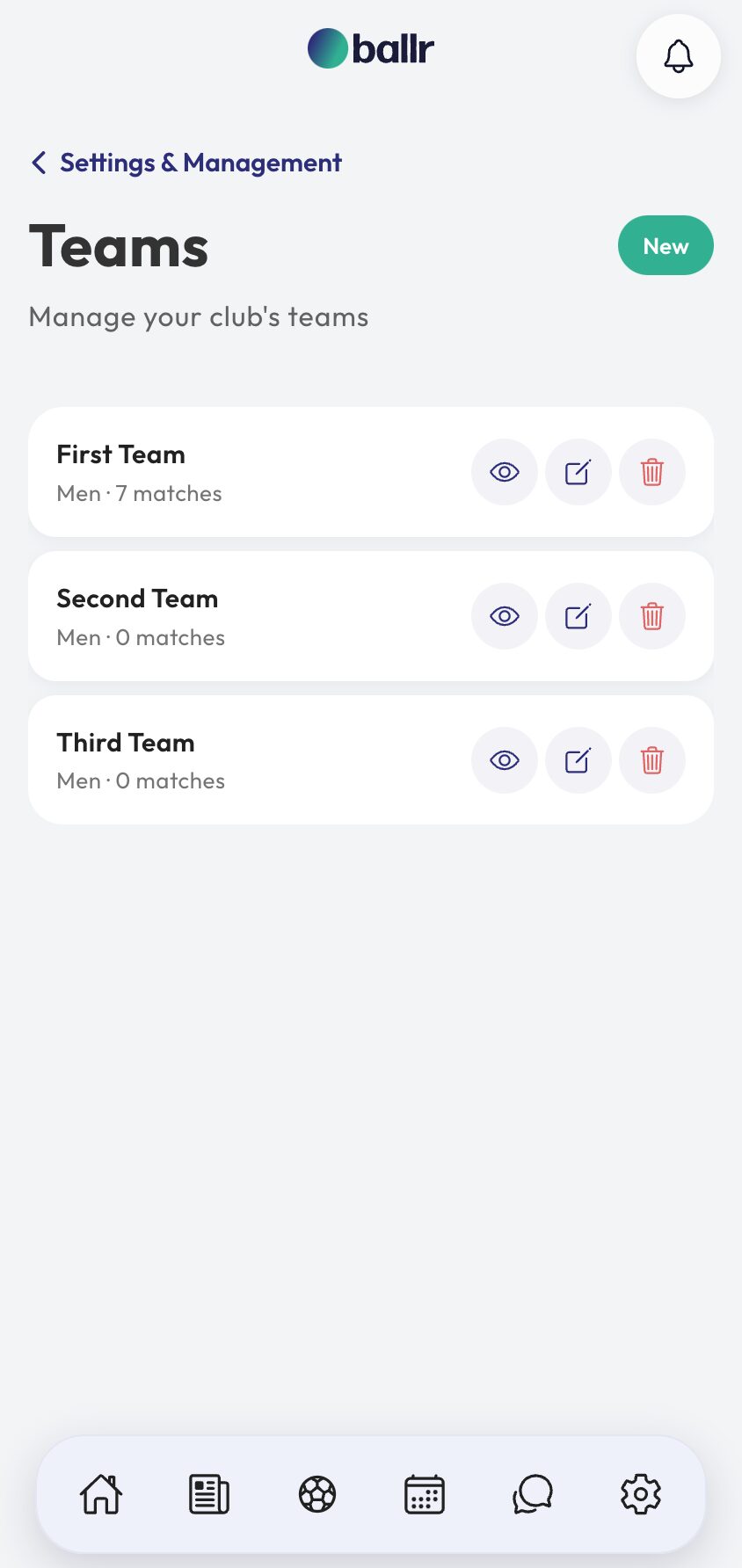
- 02
Give every fixture a team
When you add a match, choose which team is playing it. That one field is what keeps a reserve fixture out of the first team's record and stops a youth result inflating a senior scorer's tally.
It also drives what people see. A match page, a squad chat and a lineup graphic all name the team, so a supporter reading it knows which side they are looking at.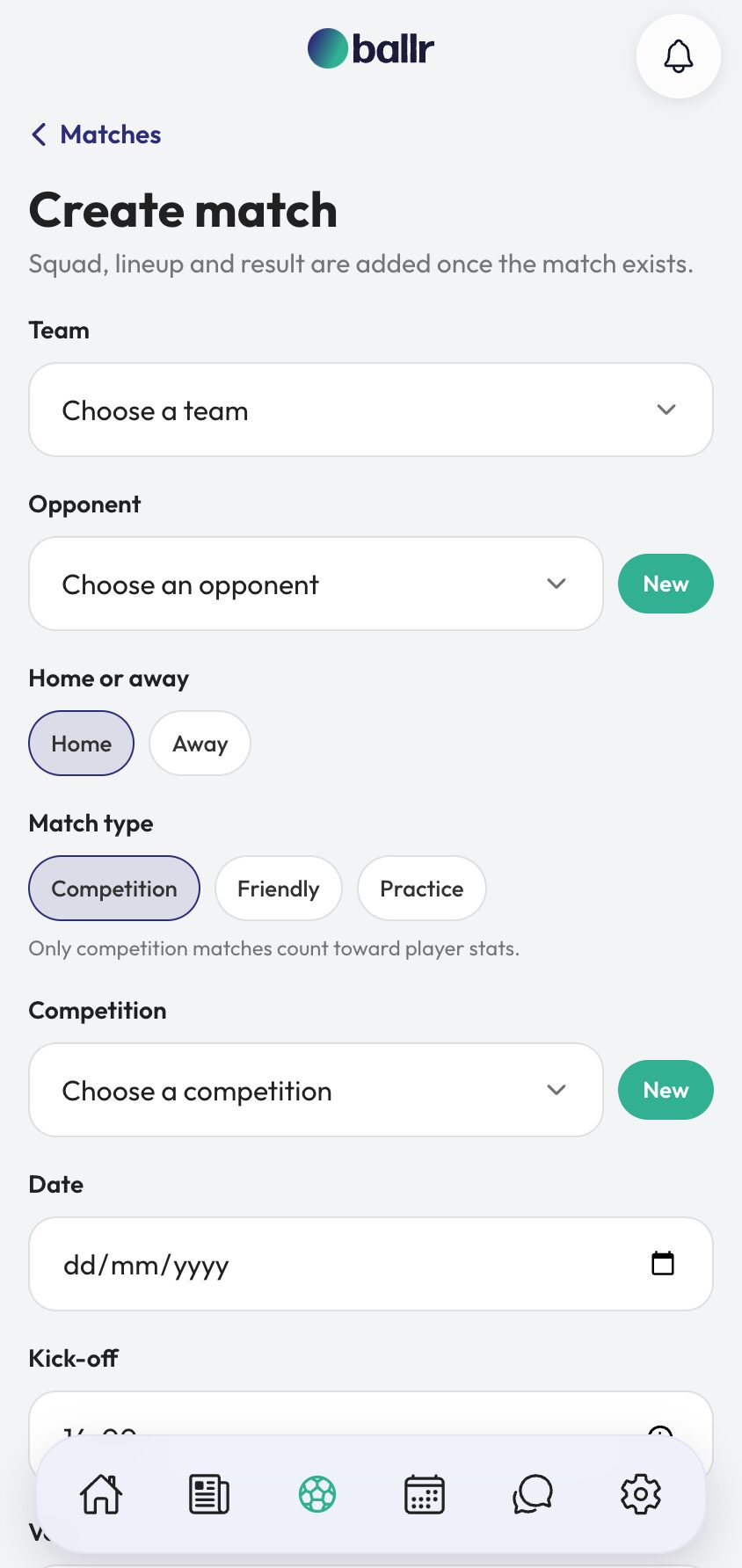
- 03
Pick squads from one player list
The squad list stays shared, and that is on purpose. A reserve who plays up on Saturday is the same player, with the same record — not a second copy with half the history.
You pick a squad per match from the players available that week, so somebody playing for two sides in a season ends up with one profile that tells the whole story.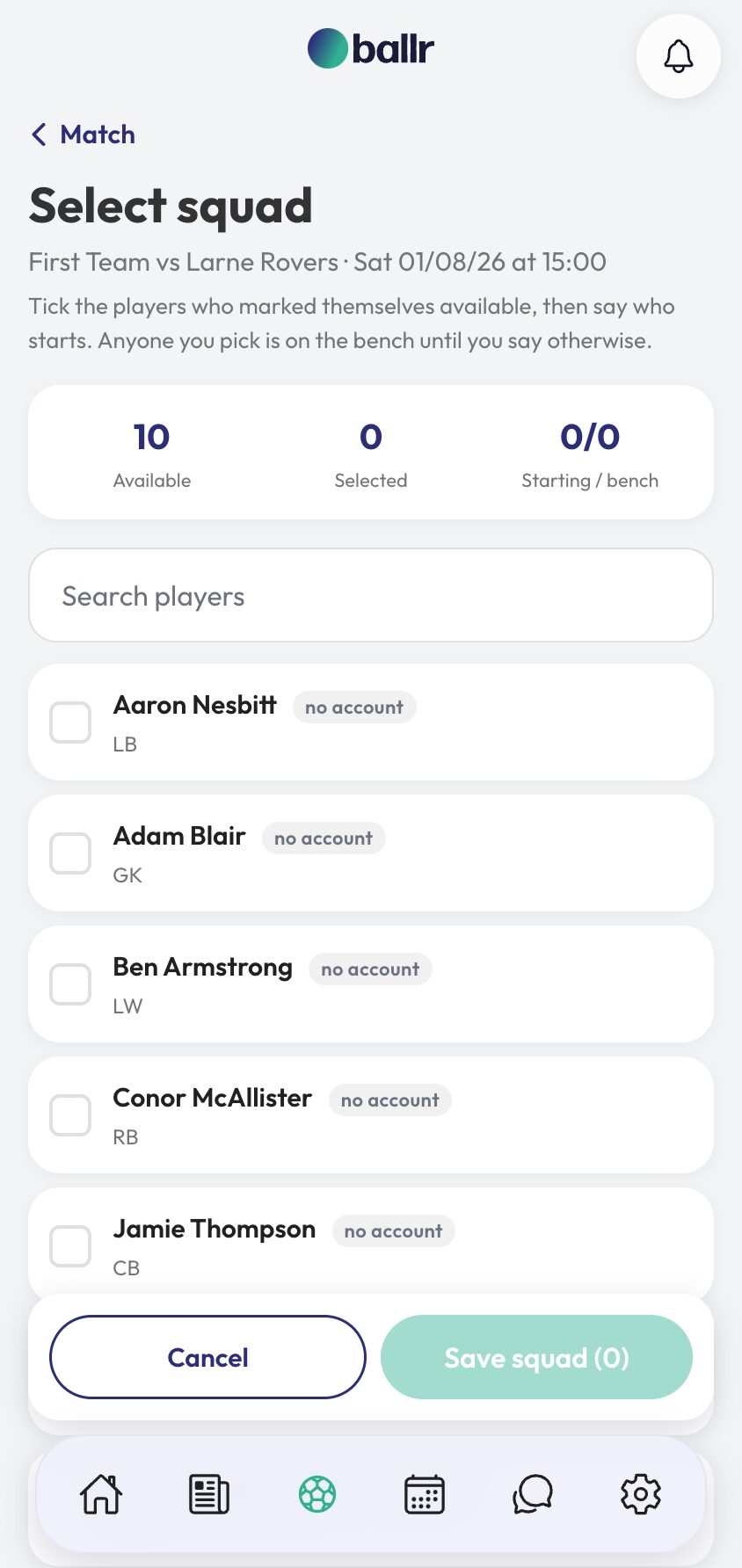
- 04
Read the season a team at a time
Results, tables of scorers and appearance counts can be read per team, so the first team's season and the reserves' season are separate questions with separate answers.
Availability stays one weekly ask across the club. A player is asked once about their week, whichever side they end up playing for, because being asked twice is how a club gets answered once.
Who can see and do what in each team is set by role, so a reserves manager is not handed the first team — see club roles and permissions.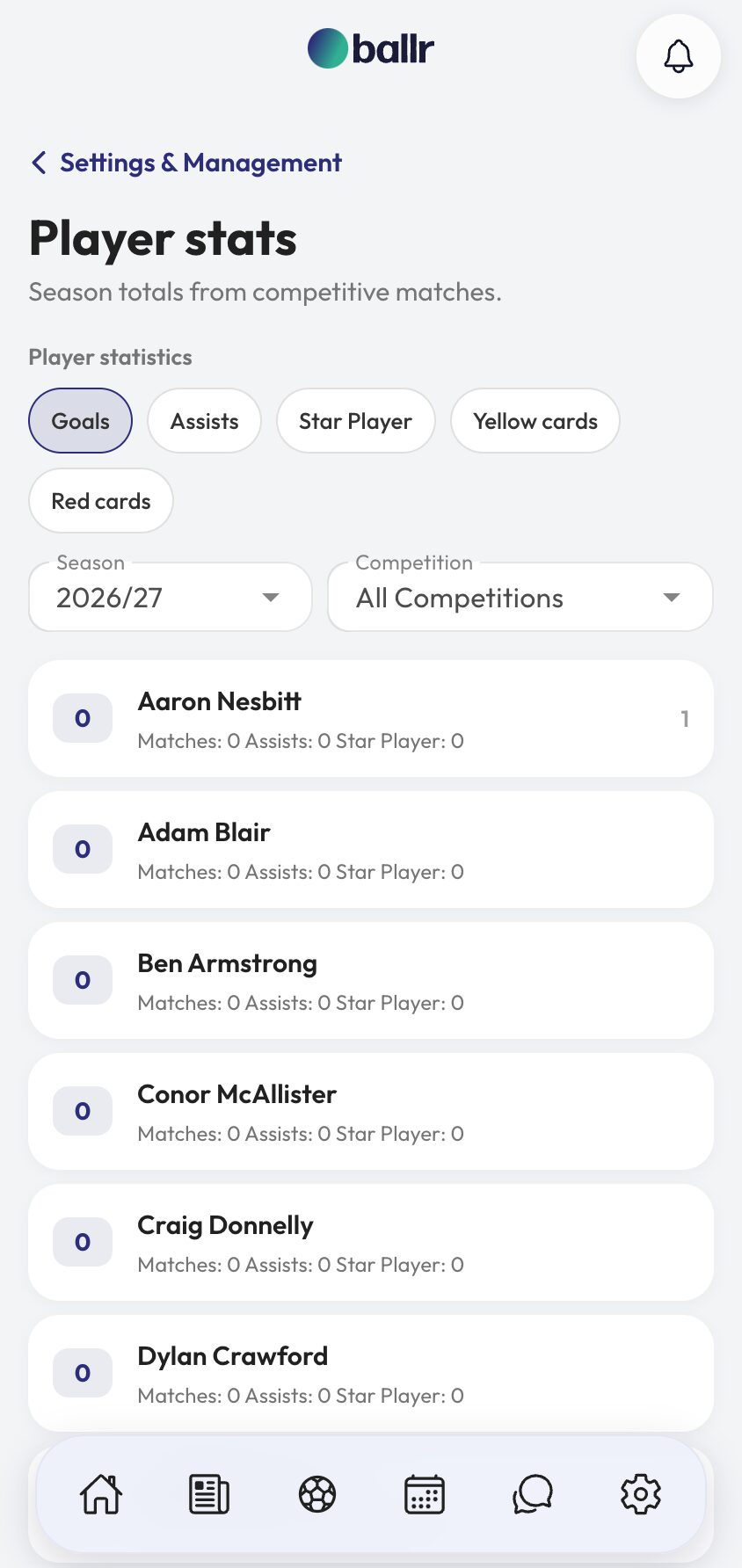


Video tutorial coming soon: setting up a first team and reserves side by side.
Questions
About this
guide.
Can a player be in more than one team?
Yes. Players belong to the club, and you pick who plays each match. Nobody needs a second profile to play up a level.
Do teams get separate feeds?
No. One club, one feed. Posts about a specific team simply say so, which is how supporters read them anyway.
Can different teams have different managers?
Yes. Invite each manager with the manager role and they can work across the club's fixtures.
Will a youth result affect first team stats?
Not if the fixture is assigned to the right team. That field is the whole mechanism.
Put it into action
Try it with your own squad.
Set your club up in about ten minutes and work through this guide with your real fixtures in front of you.