
Who Can Do What: Club Roles
Five roles, each with a deliberate ceiling, so you can hand out access without handing over the club.
For committee-run grassroots clubs where the treasurer, the social media volunteer and the manager are three different people.

Who this is for
- Owners deciding how much access a new volunteer needs.
- Committees separating money, content and football duties.
- Clubs tightening up after somebody moved on.
Before you start
- The email address of the person you are inviting.
- A clear idea of what they actually need to do.
- Owner or admin access yourself — only those two can invite.
Walkthrough
Step by step.
- 01
Open Admins & Managers and invite
Under Club Admin, open Admins & Managers. You will see everyone who currently has access, and an Invite button.
An invitation goes to an email address, not to an existing account. They set their own password, and if they already have a Ballr account the invitation attaches to it.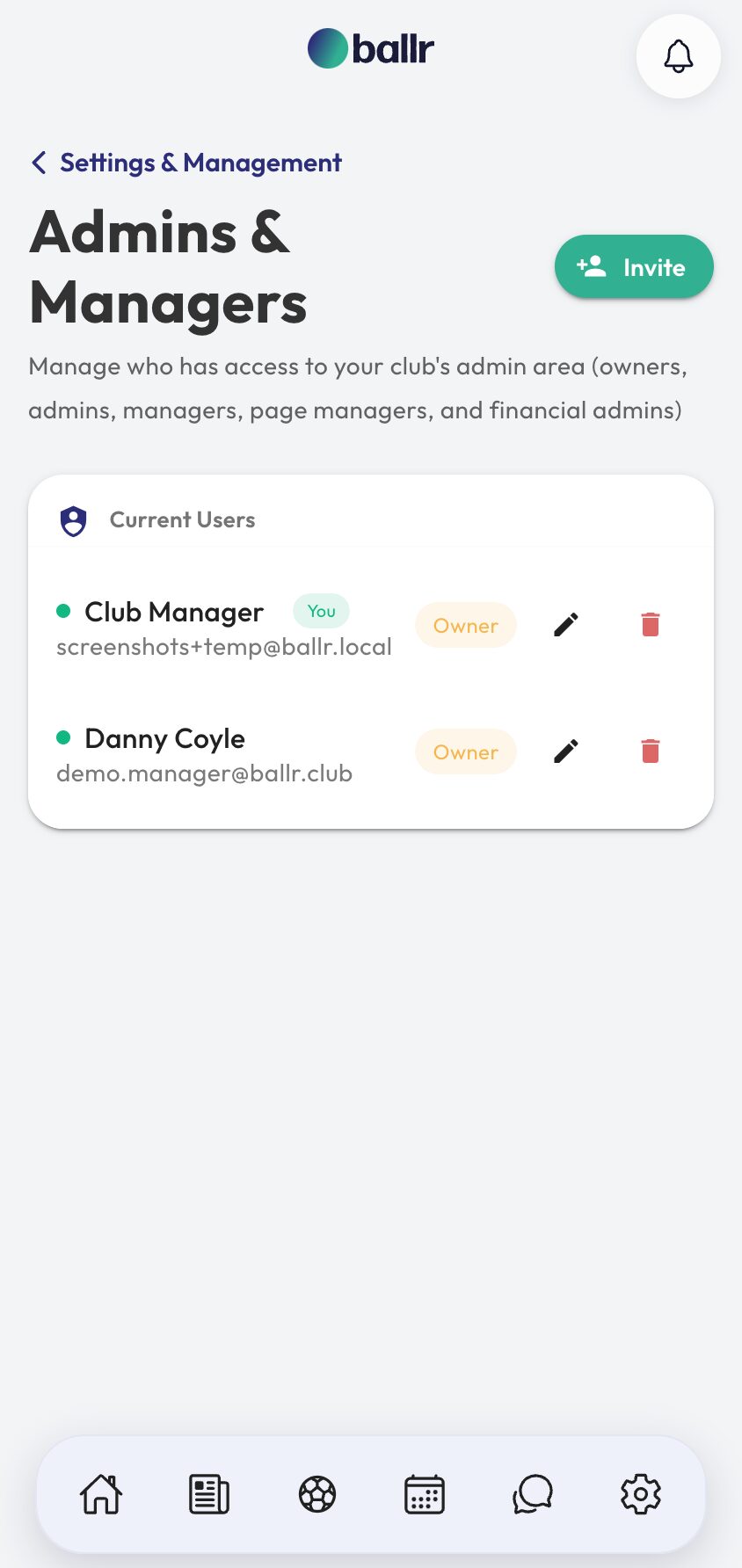
- 02
Pick the role that matches the job
Owner — full access, including billing and the subscription. This is the person the club account belongs to.
Admin — access to most of the club, but not billing. The role for a committee member who runs things day to day without holding the subscription.
Manager — the football side: squads, availability, matches, players, training.
Page manager — posts to the feed and profile, and can edit the club details and links. Deliberately cannot reach players, matches, teams or billing.
Financial admin — donations, membership, discount codes, payments, payouts and billing. Can post to the feed. Deliberately cannot reach squads, availability or matches.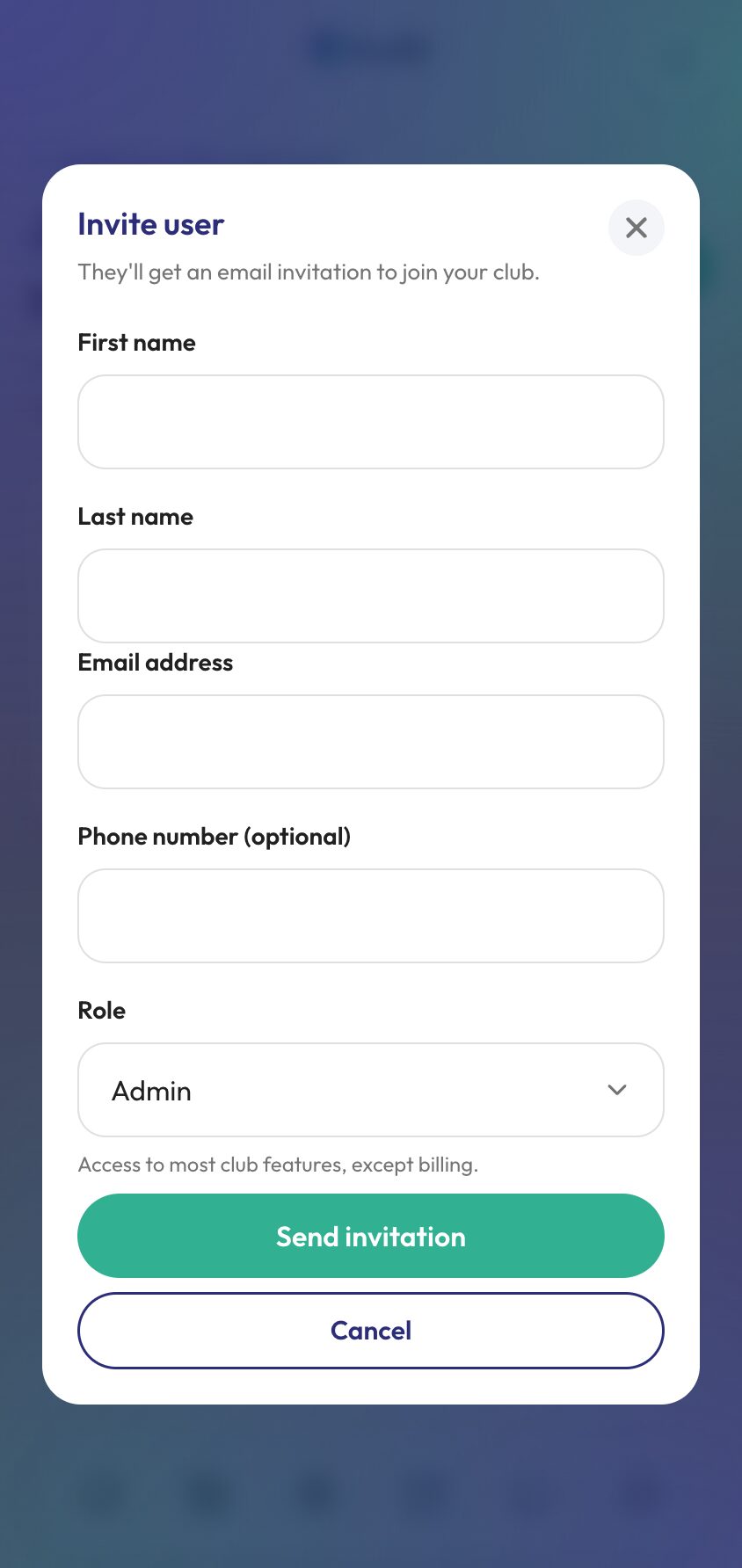
- 03
Understand the two narrow roles
Page manager and financial admin exist because most clubs have somebody who needs one job and nothing else. The volunteer who runs the Instagram does not need the squad list. The treasurer does not need to pick a team.
Both are shut out of the wider management area by design rather than by omission, so a club can hand either one out to somebody outside the committee without thinking twice about it. Both can see who else has access, but neither can invite, edit or remove anybody — the only account they can act on is their own.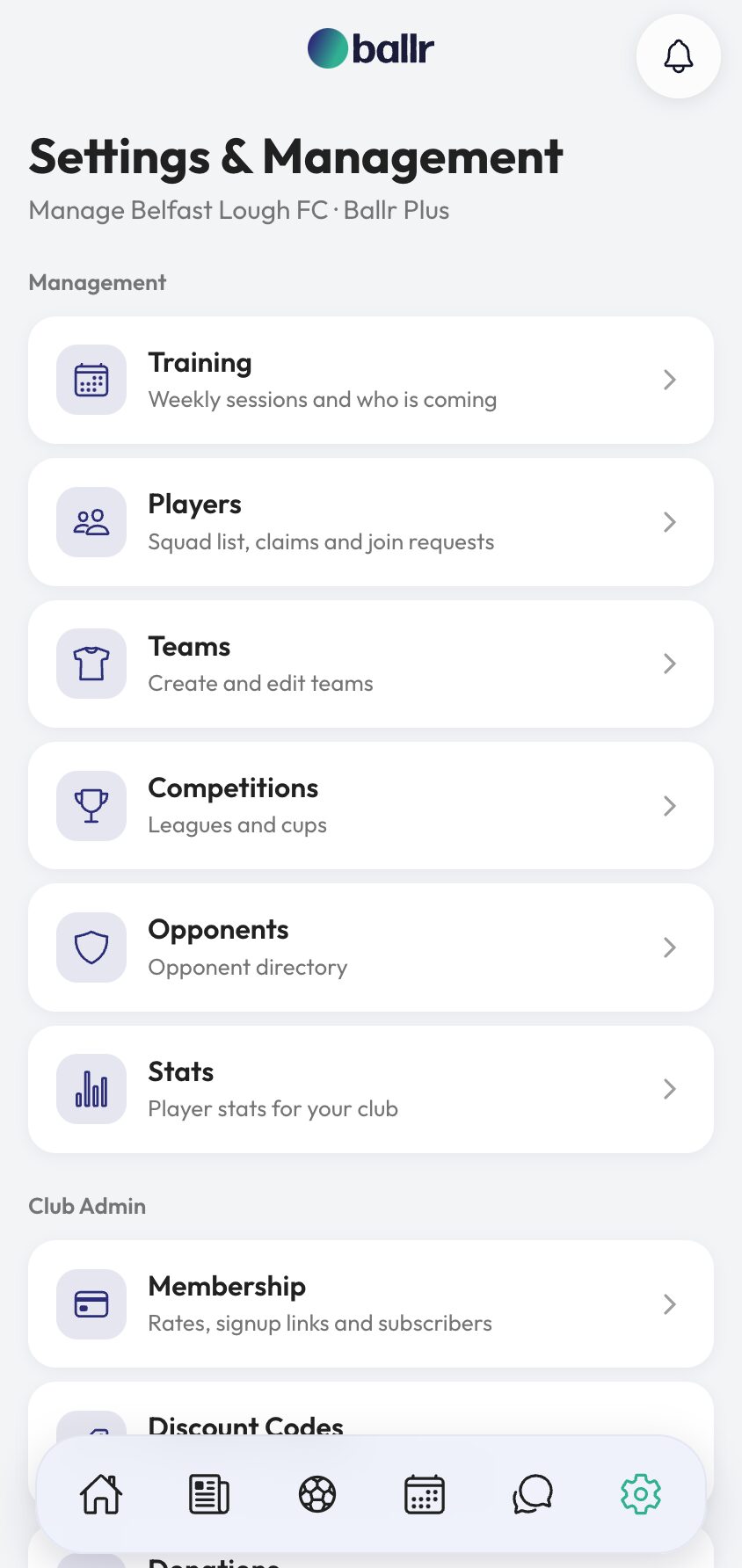
- 04
Remove access when somebody moves on
Removing a user takes their access away immediately. It does not delete anything they created — their posts, match reports and results belong to the club, not to the account that typed them.
People in the narrower roles can also remove themselves, which saves an email to the secretary when a volunteer steps back at the end of a season.
Roles are per club, so a club running a first team and a reserves gives each manager what they need and nothing else — see running more than one team.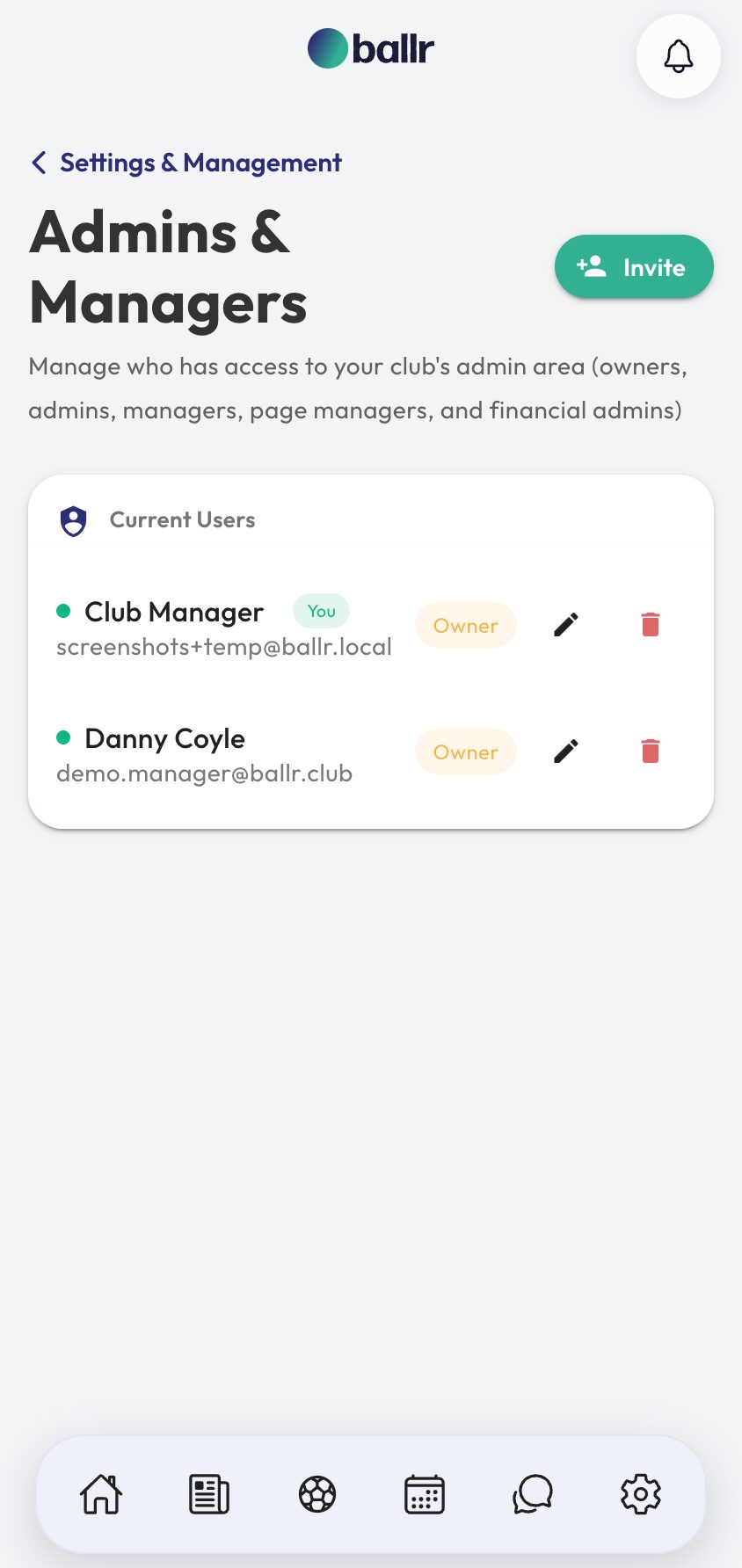


Video tutorial coming soon: setting a committee up with the right access from day one.
Questions
About this
guide.
How many owners can a club have?
More than one. It is worth having a second, so a club is never one forgotten password away from being locked out of its own account.
Can a manager see membership payments?
No. Manager covers the football side. Money sits with owners, admins and financial admins, which is usually how a committee wants it anyway.
What happens to posts written by somebody I remove?
They stay. The feed belongs to the club. Removing a user removes their access, not the club's history.
Can I change somebody's role later?
Yes, from the same screen. A page manager who joins the committee can be moved up without being re-invited.
Put it into action
Try it with your own squad.
Set your club up in about ten minutes and work through this guide with your real fixtures in front of you.