
Ballr Plus feature
Connecting Stripe to Your Club
Set payouts up once, and every membership fee and donation lands in your club's own bank account.
Written for Northern Ireland grassroots clubs and committees who want subs and donations arriving in the club account rather than a volunteer's.

Who this is for
- Treasurers moving the club off cash, envelopes and personal bank transfers.
- Club secretaries setting Ballr up before subs or donations go live.
- Committees that need a clean audit trail of who paid what and when.
Before you start
- A photo ID for whoever signs up — passport, driving licence or national ID card.
- The club's bank sort code and account number.
- Your club address, and the company or charity number if you have one.
Walkthrough
Step by step.
- 01
Open Payments & Payouts and press Connect
Everything that takes money in Ballr — membership rates, donations — sits behind one connection, and this is it. Open Payments & Payouts from the Settings & Management menu and press Connect Stripe. Once a club is through, the same page reads Connected & Ready, as it does below.
Ballr never holds your money. The connection you are making is between your club and Stripe directly, so payouts land in your account without passing through ours. That is also why we cannot do this part for you.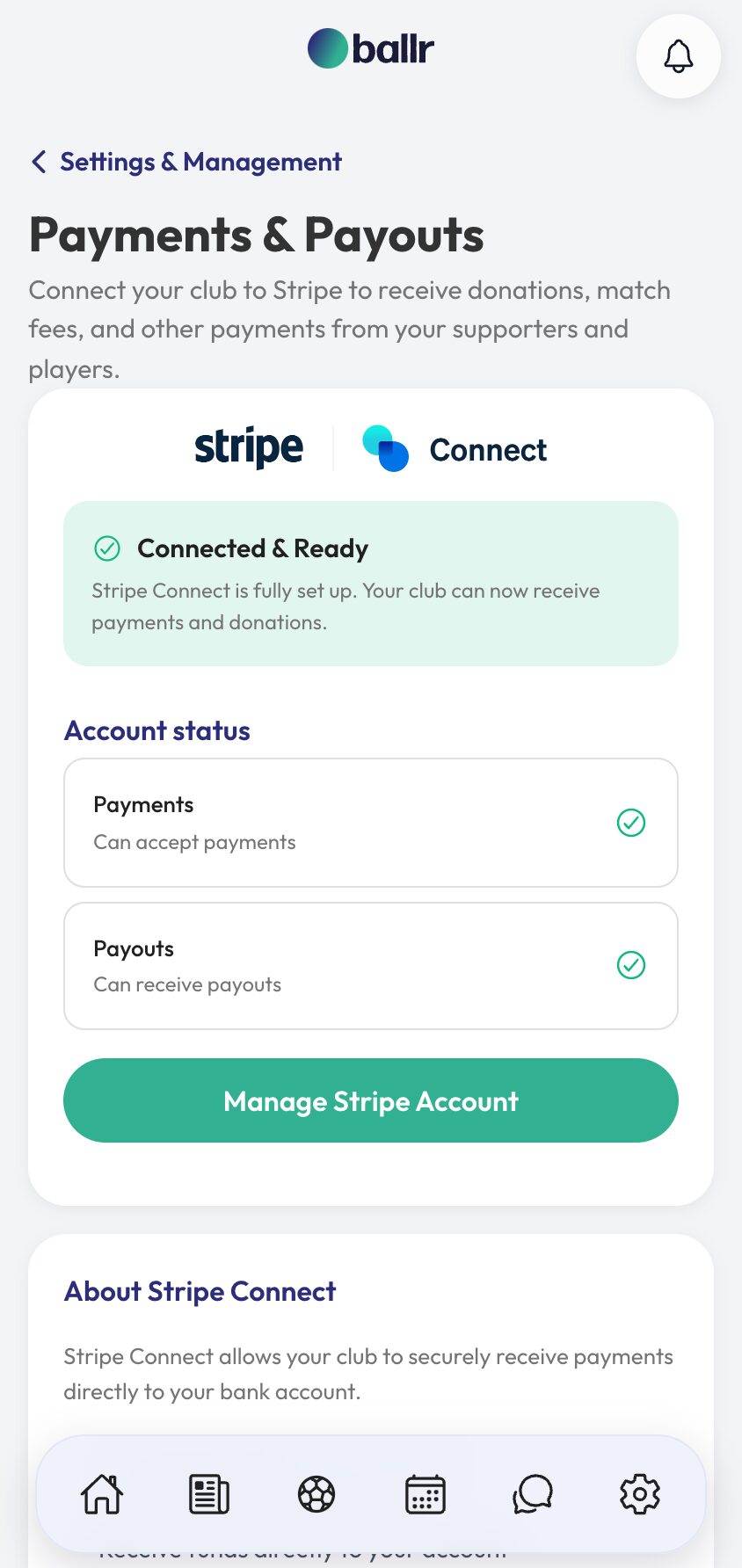
- 02
Get your documents together before you start
The in-app setup guide lists what Stripe will ask for: photo ID, the club's bank details, your address and contact details, and a company or charity number if the club is registered.
Have them open in front of you. Stripe's onboarding is one long flow and stopping halfway to hunt for a sort code is how a ten-minute job becomes a fortnight's.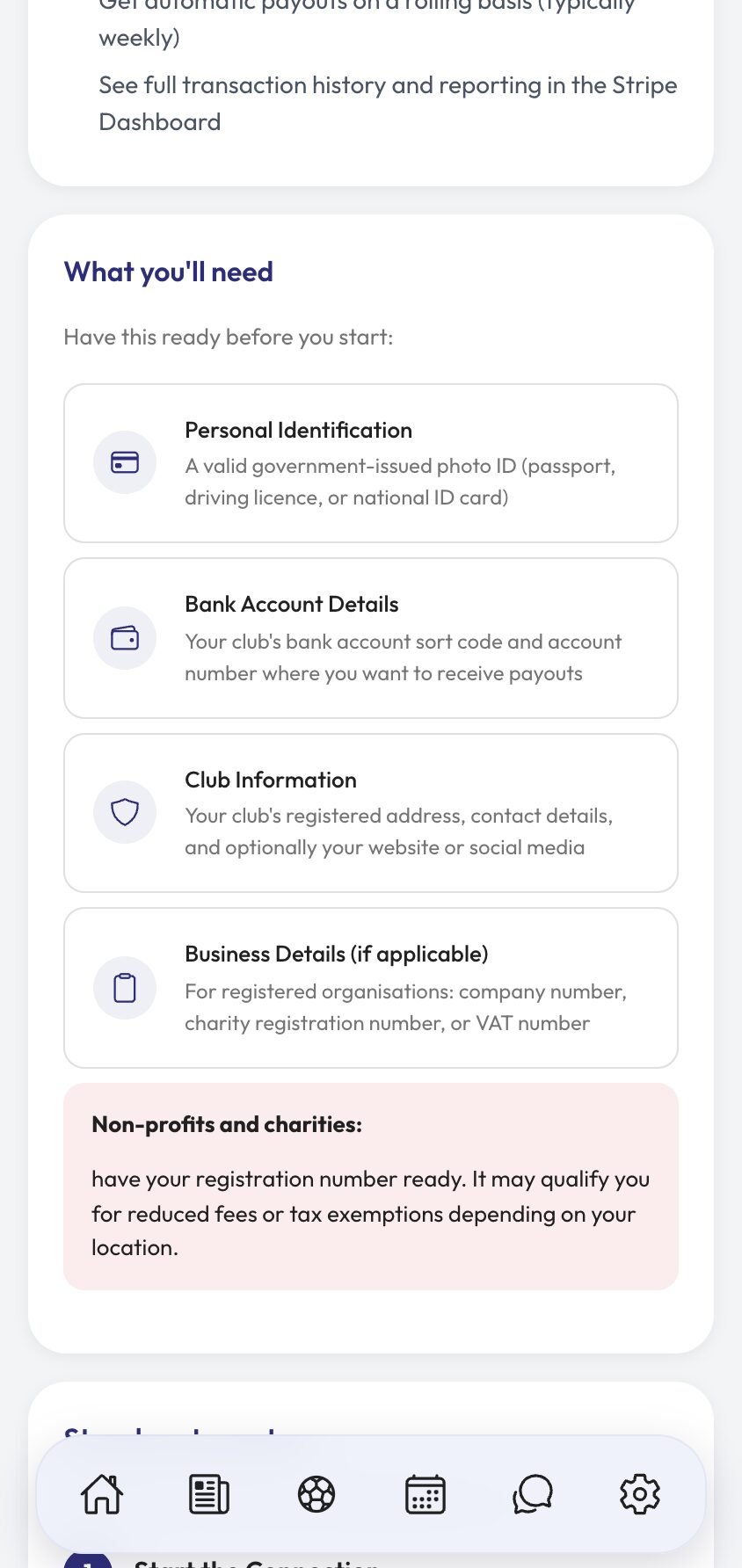
- 03
Work through Stripe's own onboarding
You leave Ballr at this point and finish on Stripe. They verify your phone and email, take your legal name, date of birth and home address, ask what kind of organisation the club is — individual, company, non-profit or charity — and take the bank details for payouts.
Type the personal details exactly as they appear on your ID. Almost every delayed verification we see is a middle name left off or a spelling that does not match the passport.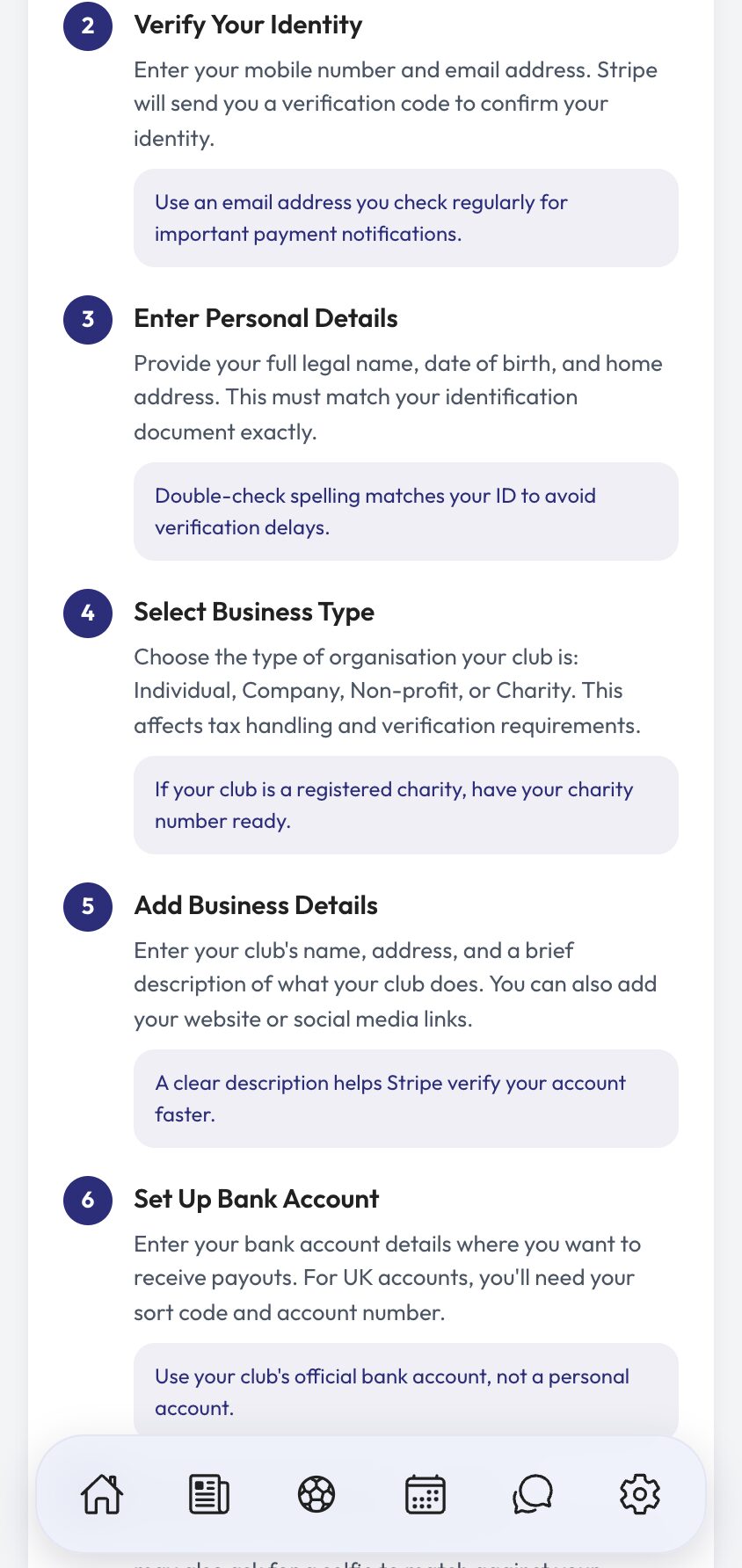
- 04
Check the account says it can charge and pay out
Back in Payments & Payouts you should see Connected & Ready, with two rows underneath: Payments — can accept payments and Payouts — can receive payouts.
Both matter, and they can arrive separately. An account that can charge but not pay out will happily take a supporter's money and hold it, so if only one row is green, open Manage Stripe Account and finish whatever Stripe is still waiting on. Verification usually clears in a day or two.
With both green, you can start taking money: set up membership subs for your players, or open a donation page for supporters.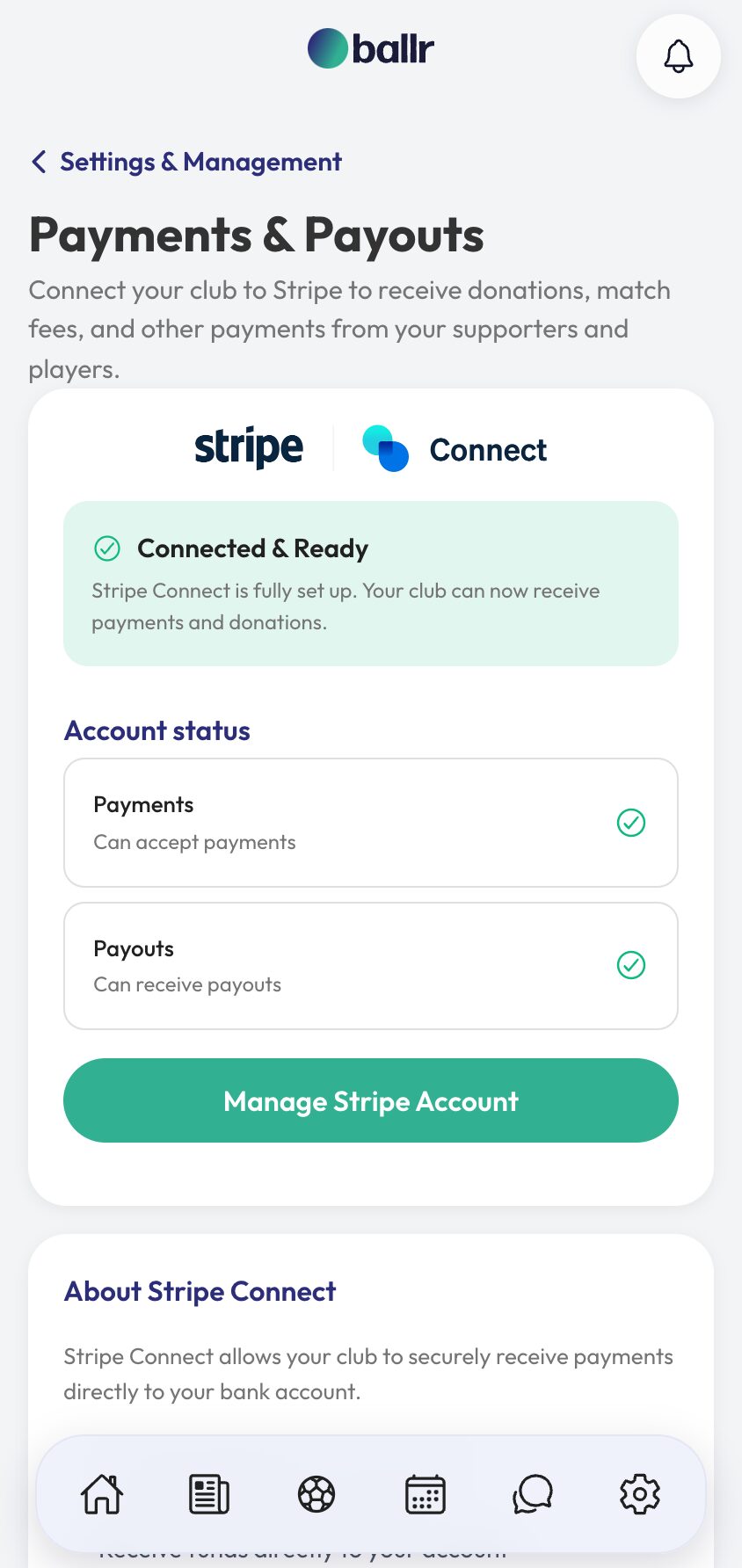


Video walkthrough coming soon: a full Stripe connection from first click to first payout.
Questions
About this
guide.
Does Ballr hold our money?
No, and it is worth understanding why that matters. Stripe pays your club directly from your own connected account, so the money is never in a Ballr balance waiting to be released. If Ballr disappeared tomorrow your Stripe account and its funds would carry on without us.
Whose name should the account be in?
Stripe needs a real person to verify — usually the treasurer or secretary — but the business details underneath should be the club, and the bank account should be the club's. Verifying as yourself is not the same as paying yourself.
How long does verification take?
The form itself is ten to fifteen minutes. Stripe then verifies in the background, typically within one to two days. You can create membership rates while you wait — nobody can pay them until payouts are enabled.
Are there fees?
Stripe takes its standard processing fee on each payment; that is between your club and Stripe and is visible in your Stripe dashboard. Registered charities and non-profits should have their registration number to hand at signup, as it can qualify for reduced rates depending on where you are.
Put it into action
Try it with your own squad.
Set your club up in about ten minutes and work through this guide with your real fixtures in front of you.