
Ballr Plus feature
Collecting Membership Subs
Set a monthly rate, share one link, and stop chasing the same eleven people for £20 every month.
Built for Northern Ireland grassroots clubs where subs are still collected in cash at training and written in the back of a notebook.

Who this is for
- Treasurers who currently chase subs by hand every month.
- Clubs running different rates for senior, youth and social members.
- Committees that want to see overdue payments before they become arrears.
Before you start
- Stripe connected, with payouts enabled.
- Ballr Plus active on your club.
- A decision on what you are charging, and who pays which rate.
Walkthrough
Step by step.
- 01
Create a rate
Open Membership and press New. A rate needs three things: a name, an optional description, and a monthly amount.
Name it the way a player would describe it — Senior Player, Youth Player, Social Member — not the way your accounts describe it. The name is what they see on the payment screen, and a rate called "Sub Cat B" gets more questions than it collects.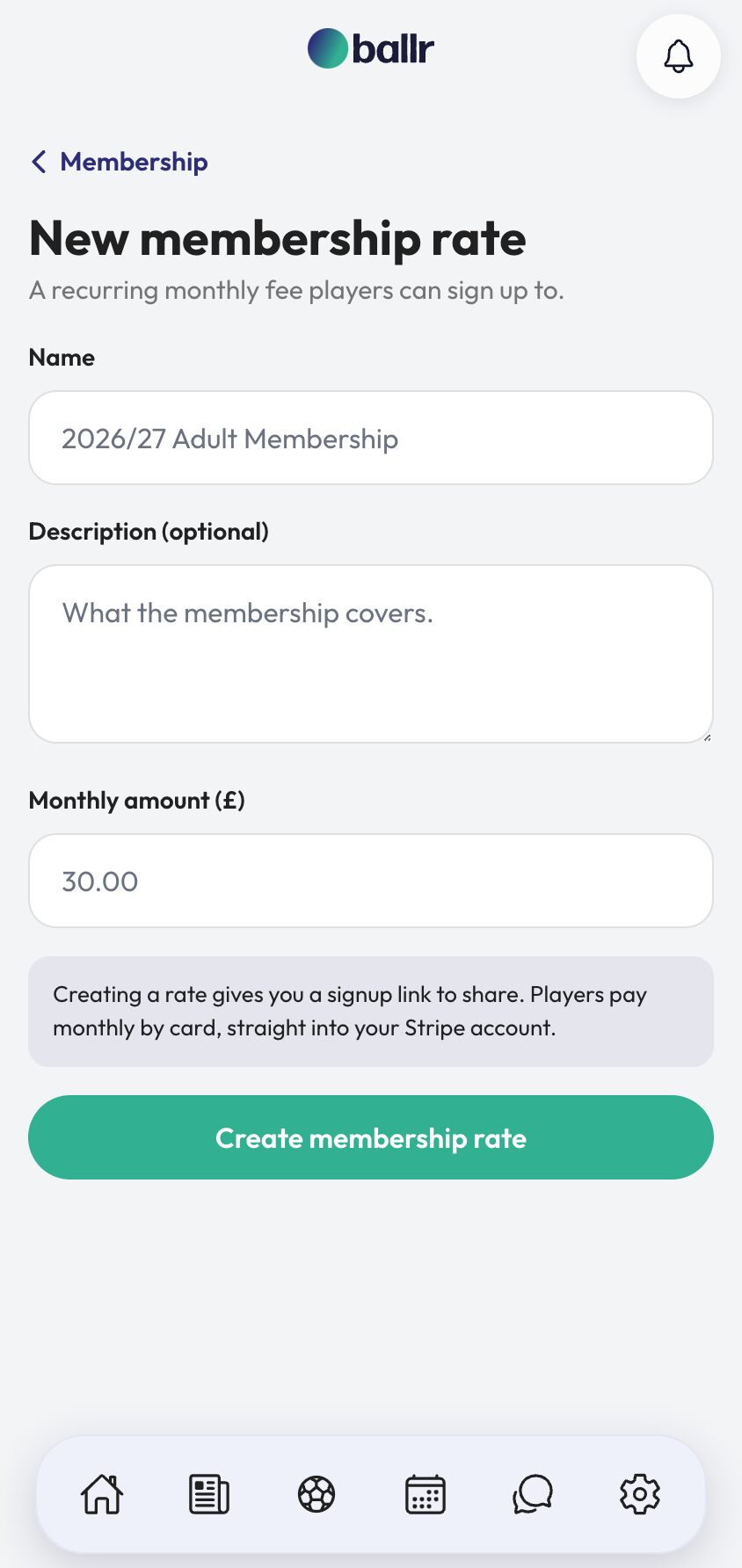
- 02
Share the signup link
Every rate has its own link, behind Copy link on the rate card. Put the senior link in the senior squad chat and the youth link in the parents' group, and nobody ends up on the wrong rate.
Make as many rates as you actually charge. It costs nothing to run three, and one rate with a note saying "pay £12 instead if you are under 18" is how a club ends up reconciling by hand again.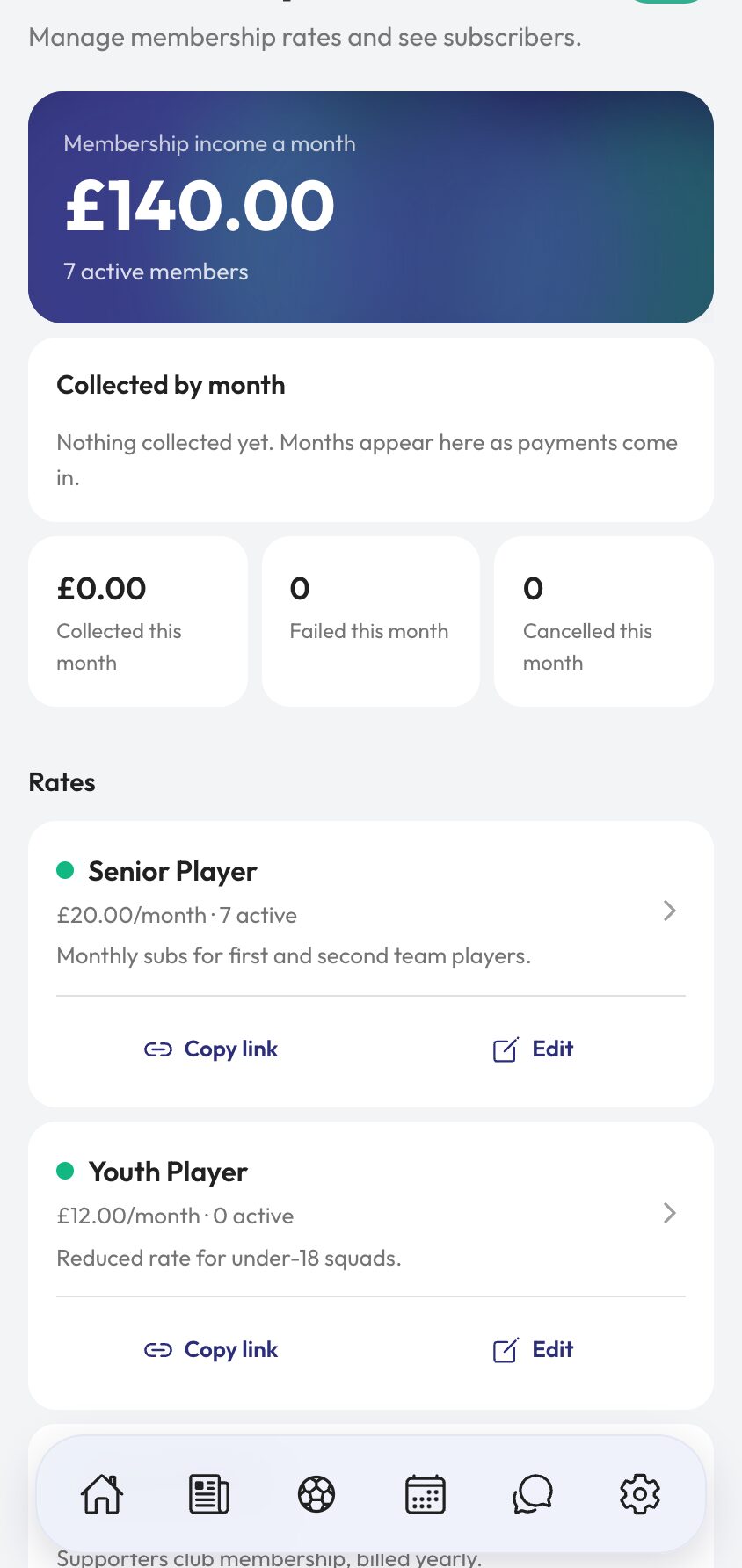
- 03
What the player does
The link opens a page showing the rate, the amount and what it is for. A player who is new to the club fills in the few details you would have asked for anyway — phone number, position, date of birth — and then pays on Stripe.
That is the part worth noticing: signing up to pay also creates their player profile. One link brings in the subs and the squad record together, rather than you adding them by hand and then asking them to pay.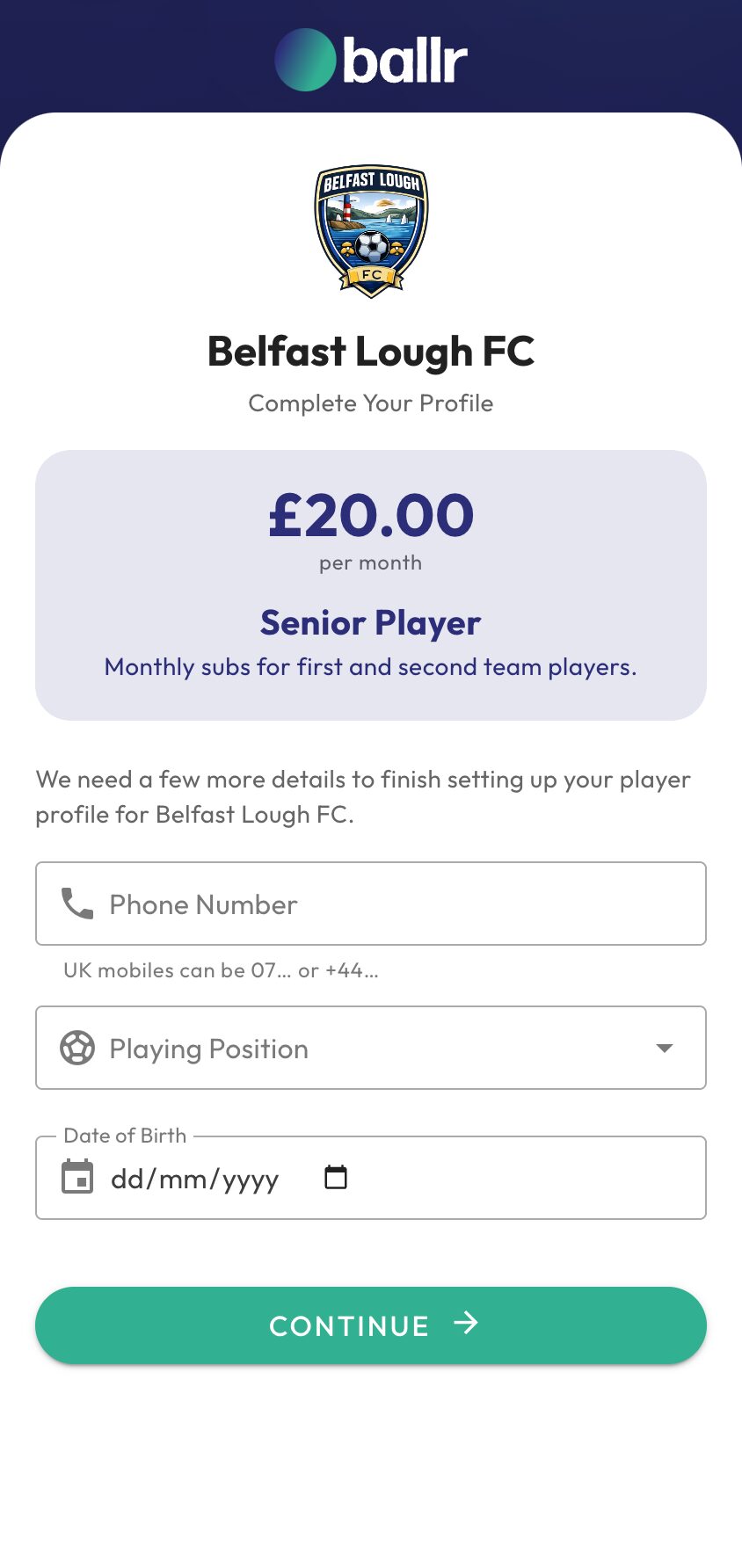
- 04
Watch the money and the misses
The Membership page shows what the club takes a month, what has been collected by month, and every member against their rate — Active, Past Due or Canceled. Open a single rate to see the same picture for that rate alone.
Past Due is the number to look at. A card expires or a bank declines and the player usually has no idea; a quiet word that week fixes it, whereas three months later it is an awkward conversation about arrears.
Subs are one half of what a connected club can take. Supporter donations are the other, and they run on the same Stripe connection with nothing further to set up.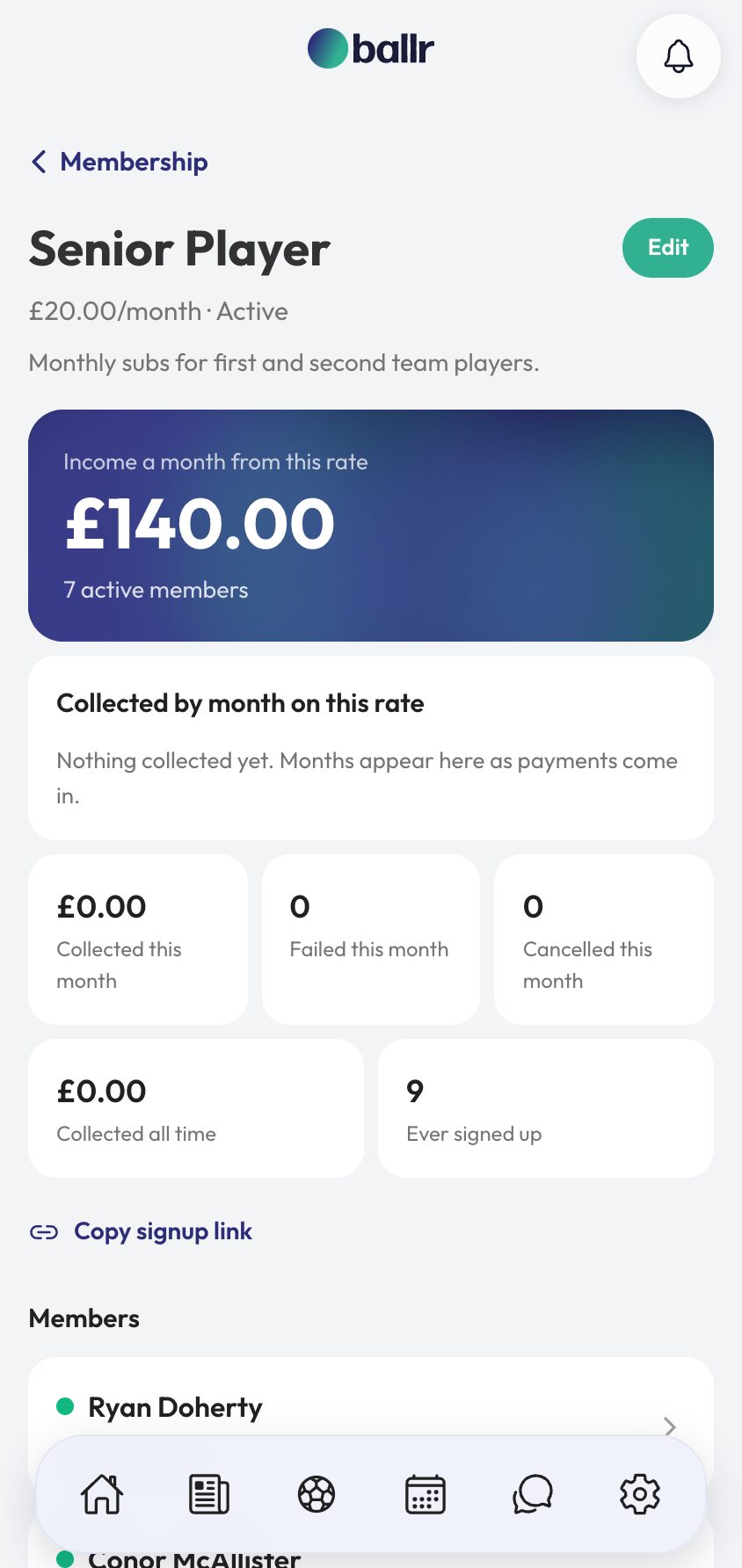


Video tutorial coming soon: setting your rates up and getting a full squad signed up in a week.
Questions
About this
guide.
Can we run more than one rate?
Yes, and most clubs should. Senior, youth and social members usually pay different amounts, and a separate rate for each means each player gets their own link and your totals add up without anyone doing arithmetic.
Where does the money go?
Straight into your club's connected Stripe account and out to your bank on Stripe's normal payout schedule. Ballr never holds it. You will need Stripe connected before a rate can be paid.
What happens when a payment fails?
The member moves to Past Due and the card shows how many payments have failed. Stripe retries on its own schedule, so many resolve themselves — but the status is there so you can ask rather than wait.
Can a player cancel?
Yes. Players manage their own subscription through Stripe's billing flow, and a cancellation shows up on your members list rather than simply going quiet. Cancelling stops future payments; it does not remove them from your squad.
Put it into action
Try it with your own squad.
Set your club up in about ten minutes and work through this guide with your real fixtures in front of you.